CUH CUH CUH CUH CUH CUH CUH
CUH CUH CUH CUH CUH CUH CUH CUH CUH CUH CUH CUH CUH CUH CUH CUH CUH CUH CUH CUH CUH
CUH CUH CUH CUH CUH CUH CUH CUH CUH CUH CUH CUH CUH CUH CUH CUH CUH CUH CUH CUH CUH
CUH CUH CUH CUH CUH CUH CUH CUH CUH CUH CUH CUH CUH CUH CUH CUH CUH CUH CUH CUH CUH
CUH CUH CUH CUH CUH CUH CUH CUH CUH CUH CUH CUH CUH CUH CUH CUH CUH CUH CUH CUH CUH
CUH CUH CUH CUH CUH CUH CUH CUH CUH CUH CUH CUH CUH CUH CUH CUH CUH CUH CUH CUH CUH
CUH CUH CUH CUH CUH CUH CUH CUH CUH CUH CUH CUH CUH CUH CUH CUH CUH CUH CUH CUH CUH
CUH CUH CUH CUH CUH CUH CUH CUH CUH CUH CUH CUH CUH CUH CUH CUH CUH CUH CUH CUH CUH
CUH CUH CUH CUH CUH CUH CUH CUH CUH CUH CUH CUH CUH CUH CUH CUH CUH CUH CUH CUH CUH
20
SDVC31 Series
Variable Frequency Digital Controller for Vibratory Feeder
SDVC31SMSEN_4.012023-08
By default, intelligent photoelectric sensor and switch sensor share the same on delay
time and off delay time. Operators can also set on delay time and off delay time
independently for the switch sensor.
Variable Frequency Digital Controller
for Vibr
atory Feeder
Saturated Accelerate
Remote
Stop
Lock
Voltage
Frequency
On Delay
Off Delay
Soft Start
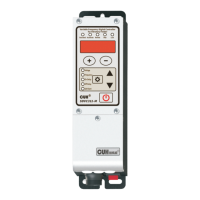
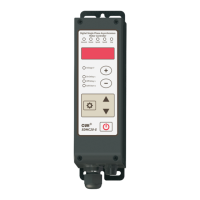
SDVC31-M
Variable Frequency Digital Controller
for Vibr
atory Feeder
Saturated Accelerate
Remote
Stop
Lock
Voltage
Frequency
On Delay
Off Delay
Soft Start
SDVC31-M
On Delay ( J- ): The period of time the controller goes through from receiving a
startup control signal to outputting.
Off Delay ( L- ): The period of time the controller goes through from receiving a
shutdown control signal to cutting off output.
J- means
of Switch Sensor
On Delay
L- means
of Switch Sensor
Off Delay
5.3.2 of On/Off Delay the Switch Sensor
8Long press and ▲
simultaneously to enter the
advanced parameter interface.
8Short press to switch to
Parameter J-.
8Press ▲ or ▼ to adjust the
parameter value.
8Long press and ▲
simultaneously to enter the
advanced parameter interface.
8Short press to switch to
Parameter L-.
8Press ▲ or ▼ to adjust the
parameter value.
Parameter .J- is set to --- by default, meaning the same value with that of Parameter J
Parameter .L- is set to --- by default, meaning the same value with that of Parameter L
lWhen J- and L- values are adjusted to --- , on delay time and off delay time of the switch sensor will be the same
with of the intelligent photoelectric sensor.
of the Intelligent Photoelectric Sensor will not affected by the parameter of
on delay time and off delay time
lOn delay time and off delay time J-
and L-.


 To Next Page
 Loading...