Need help?
Do you have a question about the CUH SDVC311 Series and is the answer not in the manual?
Explanation of warning symbols and their associated risks for user safety.
Check controller for damage and verify correct model upon unpacking.
Notes on maintaining ideal operating conditions to ensure controller reliability.
Verify the integrity of the controller and all included accessories.
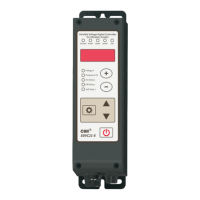
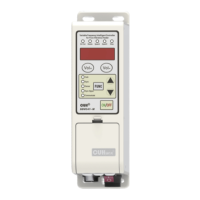
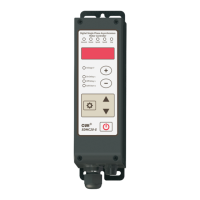
Detailed explanation of the controller's indicators, buttons, and external connection ports.
Description of the function and connection for each terminal port on the controller.
Information regarding the controller's model, specifications, and manufacturer details.
Overview of the SDVC311 Series controller and its core features.
Details on enhancements and upgrades compared to previous controller series.
Explanation of how to switch between modern and traditional parameter interface modes.
Requirements for power supply, grounding, and environmental factors for controller operation.
Guide on how to use the controller's buttons for navigation and parameter adjustment.
Step-by-step instructions for connecting the controller to the vibratory feeder.
Setting and control of the controller's output voltage for the vibratory feeder.
Configuring the output frequency for optimal vibratory feeder operation.
Setting delays for sensor inputs to control output start and stop actions.
Adjusting the time for gradual output voltage increase during startup.
Configuring parameters for stopping the vibrator quickly or smoothly.
Enabling and disabling the keyboard lock function to prevent misoperation.
Connecting external signals (potentiometer, voltage, current) for speed adjustment.
Connecting and configuring photoelectric and switch sensors for automated control.
Details on supported switch sensor modes (NPN, PNP) and their configuration.
Description of the controller's control output capabilities and types.
Diagrams showing how to connect relays for NPN, PNP, or push-pull outputs.
Setting signal sources and logic for controlling the controller's outputs.
Explanation of 'Delay Mode' and 'Hold Mode' for control output behavior.
Configuring the logic direction (phase, reverse) for control output signals.
How main output is controlled via logic, delay, and panel signals.
Setting a limit to prevent excessive output voltage and protect equipment.
Adjusting waveform characteristics for acceleration effect during operation.
Balancing efficiency, power, and noise by adjusting the waveform characteristics.
Securing parameters by setting a password to prevent unauthorized changes.
Physical dimensions and tolerance information for the controller unit.
Electrical and operational specifications including voltage, current, and temperature.
Compliance standards and requirements for electrostatic discharge and immunity.
Comprehensive list of all controller parameters, their symbols, ranges, and defaults.
Schematic diagrams illustrating various input and output port connections.
Guidance for diagnosing and resolving common errors and operational issues.
Information on the duration of the product warranty from the date of delivery.
Conditions and exclusions for product repair or replacement under warranty.
Limitations on the controller's intended use and applications.
 General
| Category | Controller |
|---|---|
| Battery | Built-in rechargeable lithium-ion battery |
| Connectivity | Bluetooth, USB |
| Buttons | Directional buttons, Action buttons (Triangle, Circle, Cross, Square), Shoulder buttons (R1/L1), Triggers (R2/L2), Analog sticks (R3/L3) |
| Motion Sensors | Six-axis motion sensing system (three-axis gyroscope + three-axis accelerometer) |
| Light Bar | Yes |
| Headset Jack | Yes (3.5mm audio jack) |

 To Next Page