Page 16 - Revision:EU-2020-10-13
6.
7.
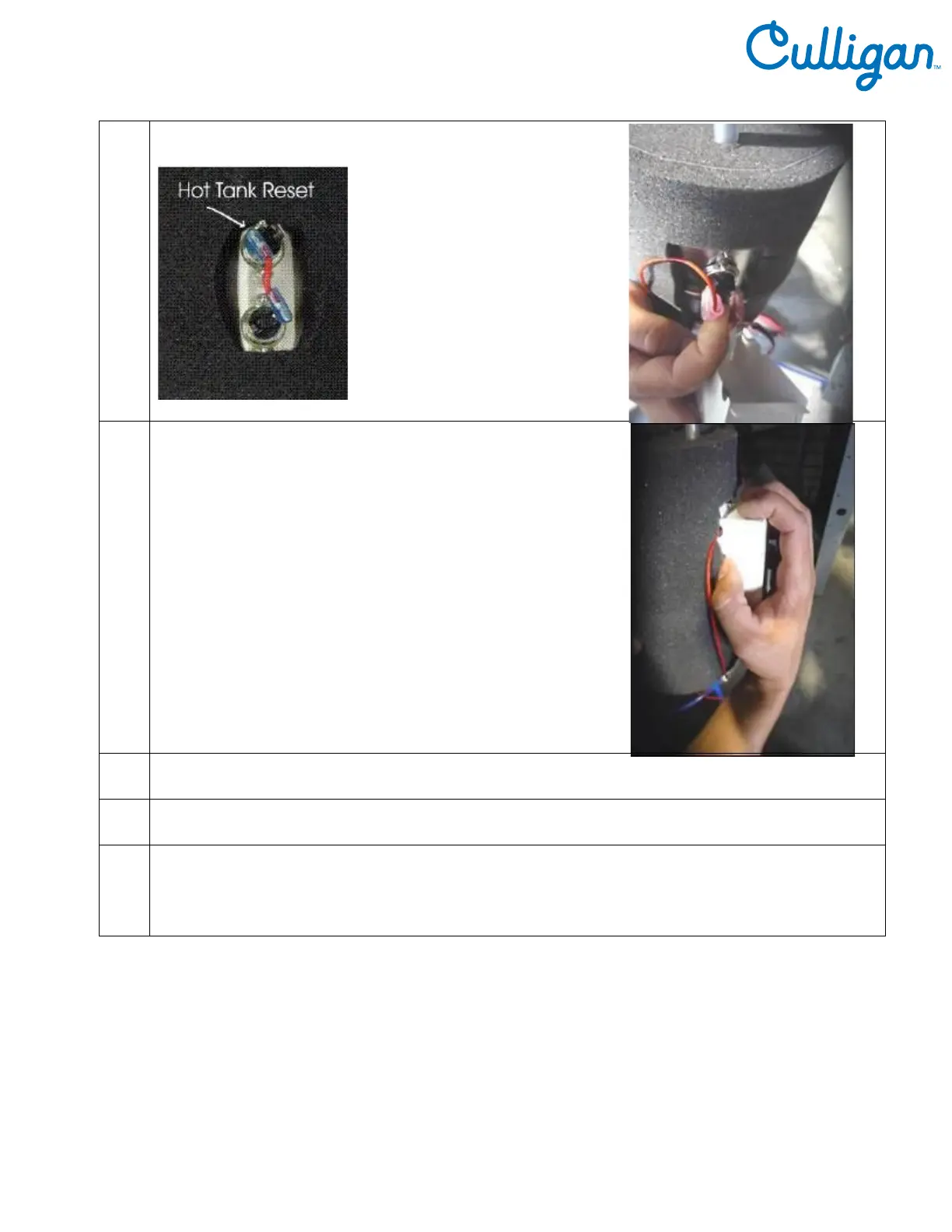
Reattach the metal box by depressing the top flap of the
Metal Box so it snaps back into its original position on the
Hot Tank.
8. Replace Panel on unit using Phillips head screws.
9. Plug in the Power Cord.
10
Make sure the Hot and Cold Tanks are filled with water BEFORE turning on the Red Heater and
Compressor Switch.
Verify the cooler is fully operational before installing it at the customers’ site.



 To Next Page