Stopping conditions and recovery steps | JetScan iFX
®
i100 scanner | 21
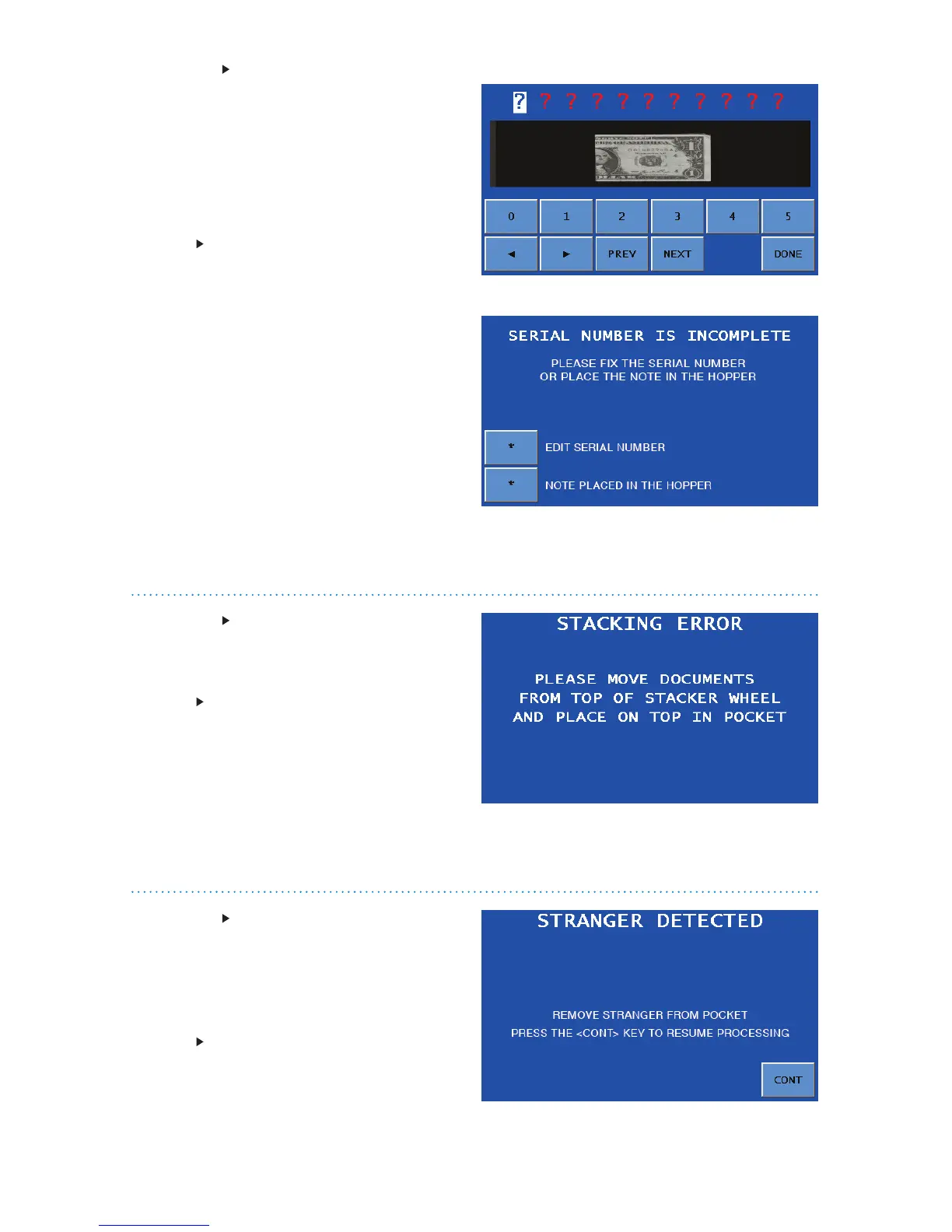
Condition A no call occurred, and
the machine could not identify the
note serial number.
Red question marks denote all unidentied
characters in the serial number. A picture
of the note’s serial number is absent from
the screen.
Action To return the note to the hopper
for reprocessing:
1. Press DONEontheSERIAL-NUMBER
CORRECTION screen to prompt the
SERIALNUMBERISINCOMPLETE
screen.
2. Acknowledge that the note was
manually returned to the hopper for
reprocessing by selecting NOTE
PLACEDINTHEHOPPER. This note
will not be included in the count.
Condition A document is blocking the
stacking sensor, located under the display
panel between the stacker wheels.
Action Look underneath the display for
a stray document in the transport path.
Remove the document and place it on
top of the documents in the pocket. This
document has been counted.
Condition The machine detected a
different document from those being
counted and stopped. This STRANGER is
the top document in the pocket and has
not been included in the count.
Action Remove the top document from
the pocket and press CONT.
Serial-numbercorrection–nocallscreen
Serialnumberisincompletescreen


 To Next Page
 Loading...

