CHAPTER 2: HANDLING GUIDELINES FOR AXN MODULES 7
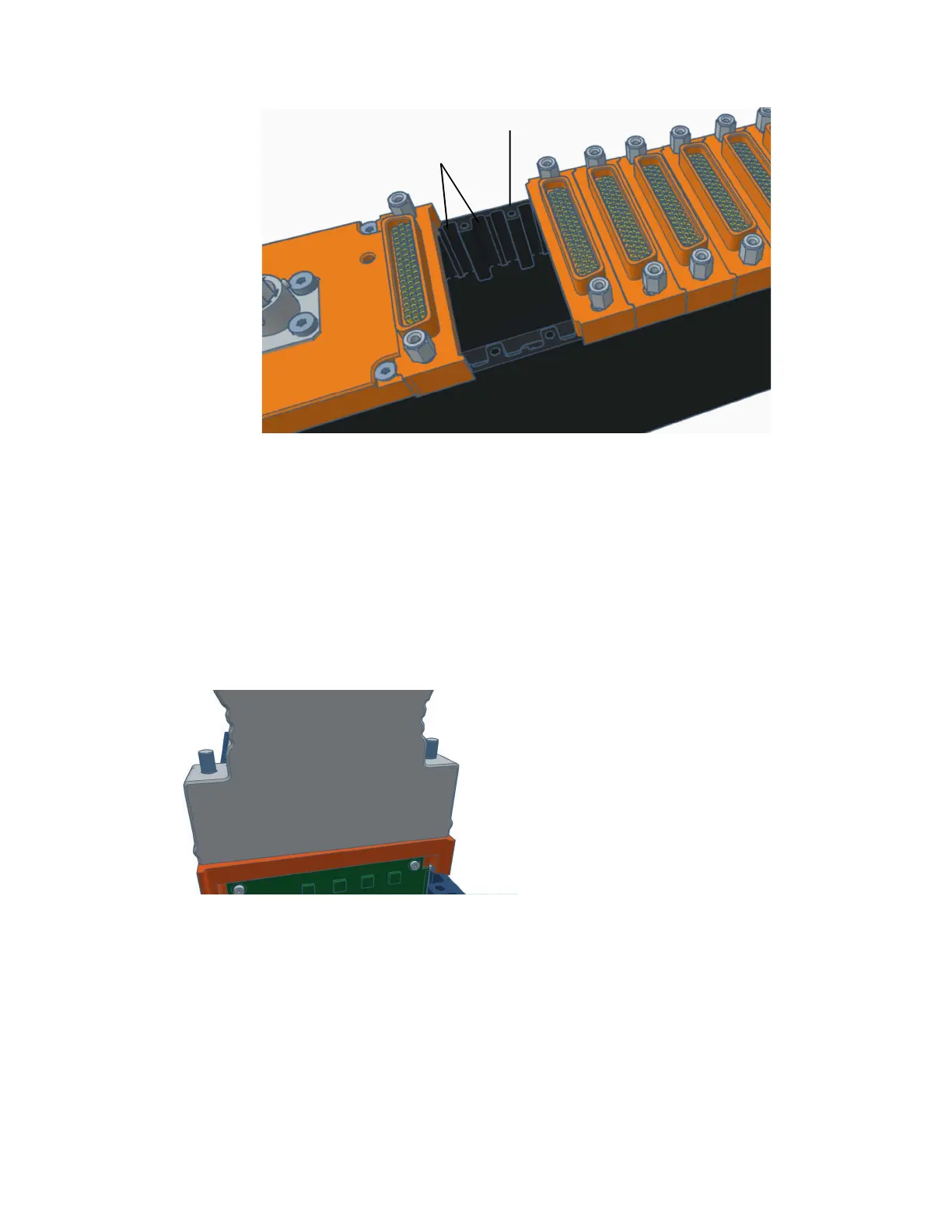
Figure 8: User-slot PCB guide-rails grooves
Using the Axonite
The Axonite (AXN/ITE/01U) is utilized by first installing the extender card into the Axon chassis and then connecting
the Axonite to the extender card with the supplied cable.
Connecting the Axonite to the chassis
1. Disconnect the power cable from the chassis.
2. Insert the extender card (AXN/EXT/401) into the chassis. (Refer to the Axon Handling Precautions document.)
3. Connect the Axonite cable (AXN/CAB/001/01M) backshell to the extender card top block.
4. Tighten the screws to torque 0.6 Nm (0.44 foot pound-force).
Guide-rail
grooves
Bore holes for
module screws



 To Next Page