58 AXN Quick Start Kit User Guide (BK/0045 | 9 Aug. 2021)
3
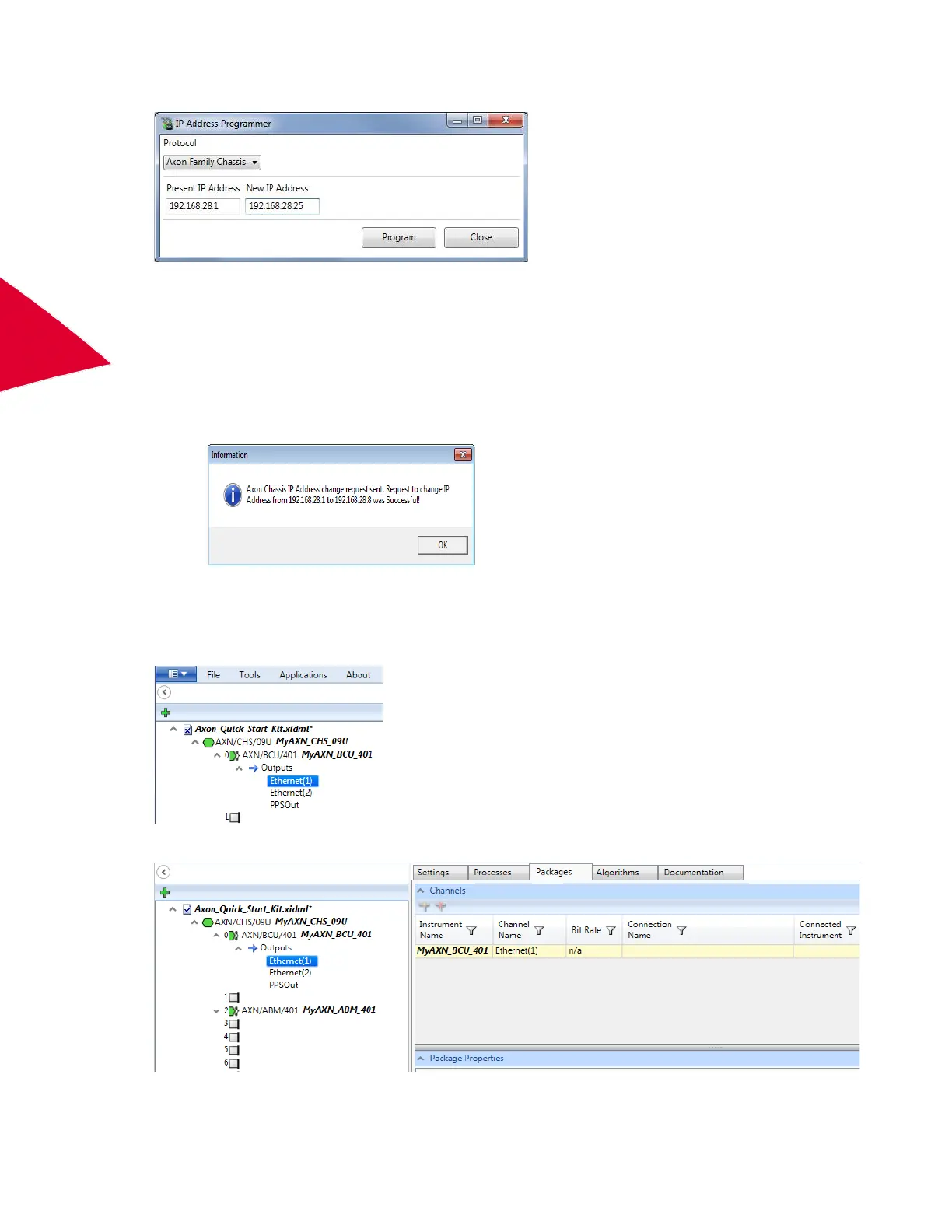
2. Type the current IP address of the AXN/BCU/40x in the Present IP Address field.
3. Type the new IP address in the New IP Address field and then click Program.
N
OTE: Changing IP address to a different IP subnet may cause verification issues until the subnet of the PCis
changed to match. (for example, if 192.168.28.1 changes to 192.10.45.56, the PC must move to the
192.10.45.XX subnet)
IP Address Programmer does not automatically update the IP address in the task file; this must be
updated manually. Failure to update the IP address in the task file to match IP address in the module
will cause programming failures.
Creating packets and sampling data
Now that the AXN modules and backplane controller configured, the next step is to create packets to sample data.
1. In the Navigator, expand the AXN/BCU/40x node and the Outputs node.
2. Select Ethernet(1) and then click the Packages tab.



 To Next Page