8 AXN Quick Start Kit User Guide (BK/0045 | 9 Aug. 2021)
2
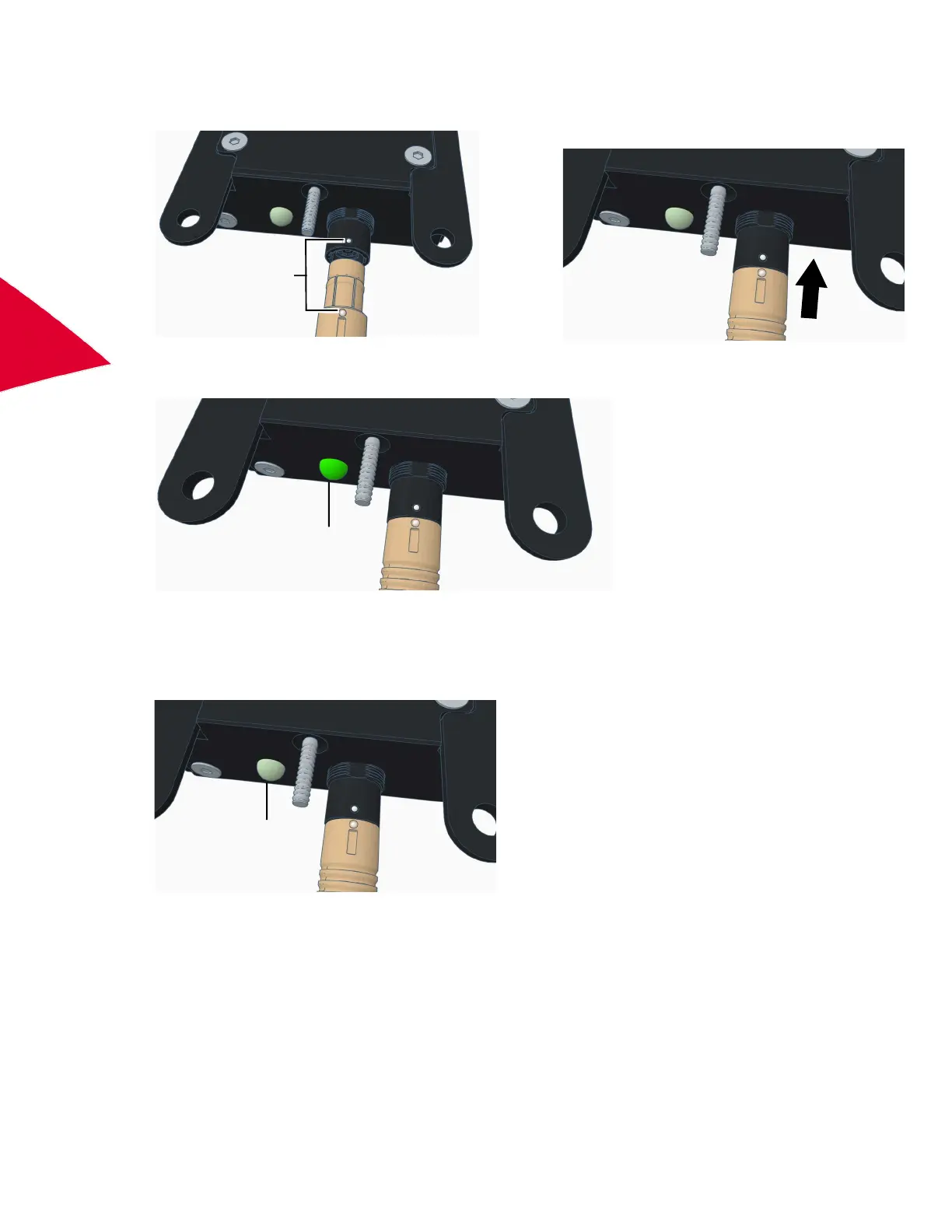
5. There is a white alignment dot on the Axonite connector and a corresponding white dot on the cable connector.
Ensure the dots are aligned and then connect the cable to the Axonite.
6. Power on the chassis.
The power LED on the Axonite lights.
Disconnecting the Axonite from the chassis
1. Disconnect the power cable from the chassis.
2. Confirm the power LED on the Axonite is off.
White
alignment
dots
Power
LED on
Power
LED off



 To Next Page