62 AXN Quick Start Kit User Guide (BK/0045 | 9 Aug. 2021)
3
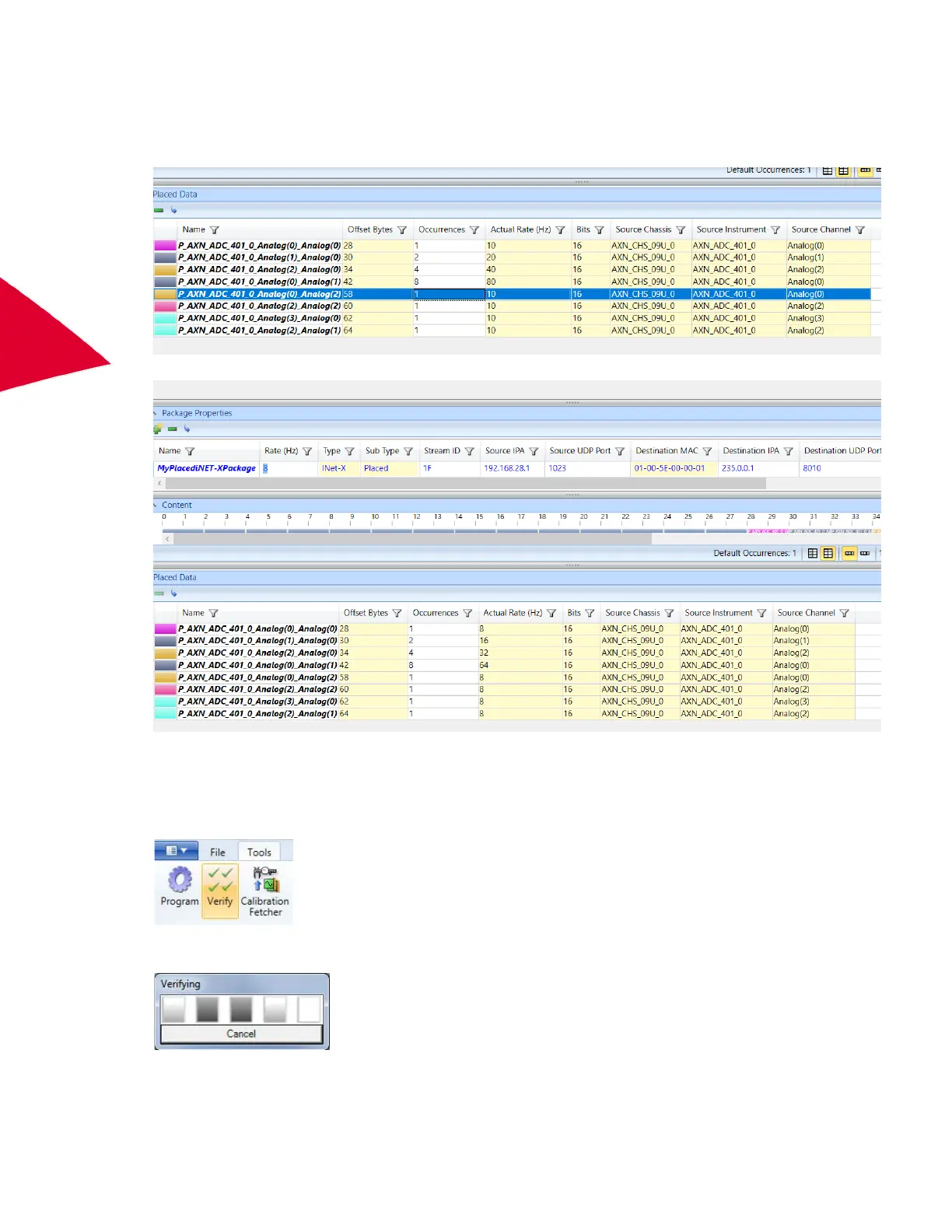
The Placed Data pane shows the parameter name, the number of occurrences or samples in this packet, the
parameters size in bits, the Source Chassis, Source Instrument, and Source Channel on that instrument.
Actual Rate is the package rate multiplied by the number of occurrences. To change the Actual Rate setting of
one parameter, edit Occurrences for that parameter; Actual Rate automatically changes to match.
Changing the Rate setting in Package Properties update the rate on all parameters in that package.
Verifying the task file
Use this tool to verify that the data throughput and sequencing specified in the configuration can be achieved.
1. On the Quick Access Toolbar or the Tools menu, click Verify.
The tool verifies that the desired data throughput and sequencing requirements can be realized on the
available instrumentation.



 To Next Page