64 AXN Quick Start Kit User Guide (BK/0045 | 9 Aug. 2021)
3
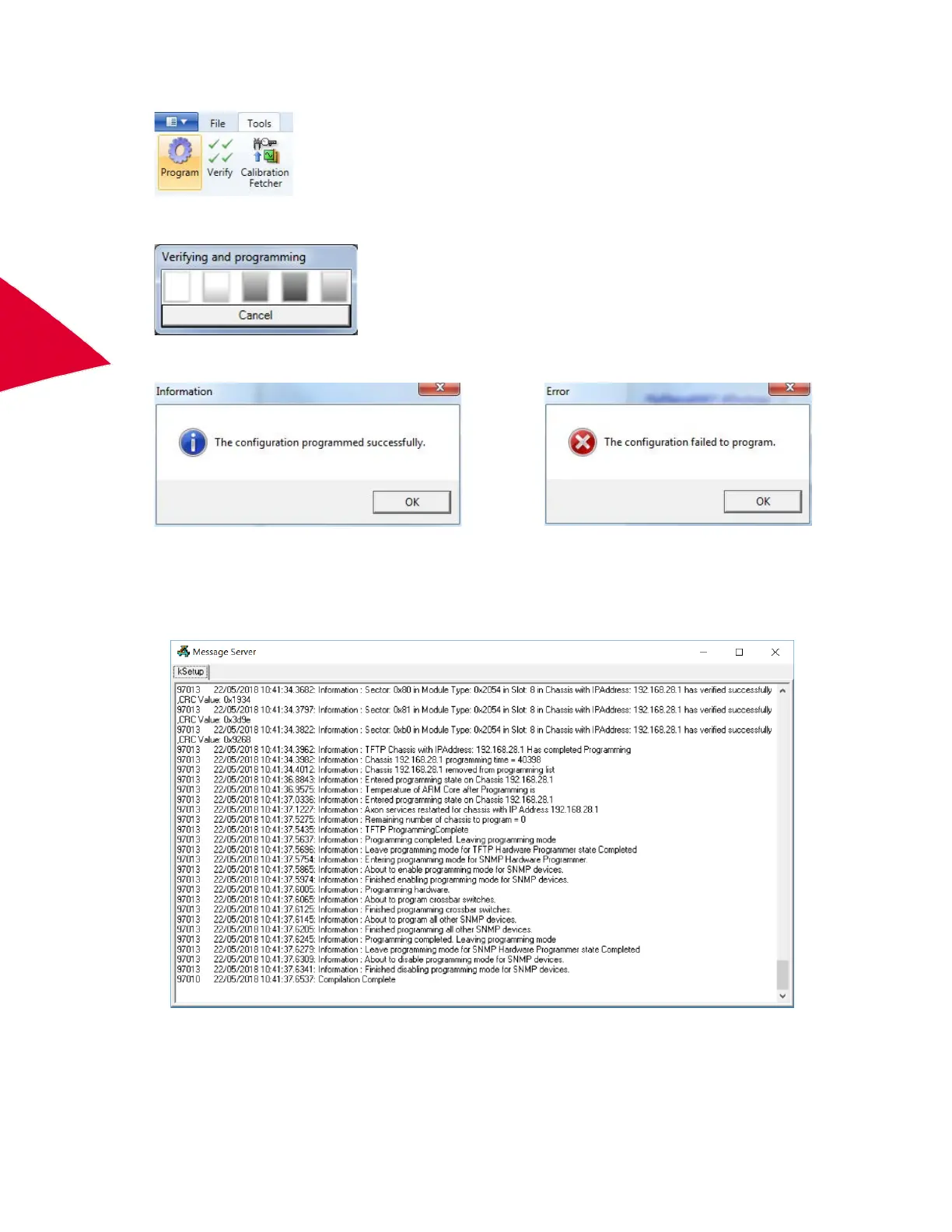
On the Tools menu, click Program.
The tool verifies that the desired data throughput and sequencing requirements can be realized on the available
instrumentation and programs the connected hardware.
If verification fails, programming is not performed and error messages are shown. A message box is displayed
reporting if programming passed or failed.
2. Do one of the following:
• If programming succeeds, click OK.
•
If programming fails,
double-click the icon to open the Message Server dialog box and locate the error(s)
shown in red text
.



 To Next Page