66 AXN Quick Start Kit User Guide (BK/0045 | 9 Aug. 2021)
3
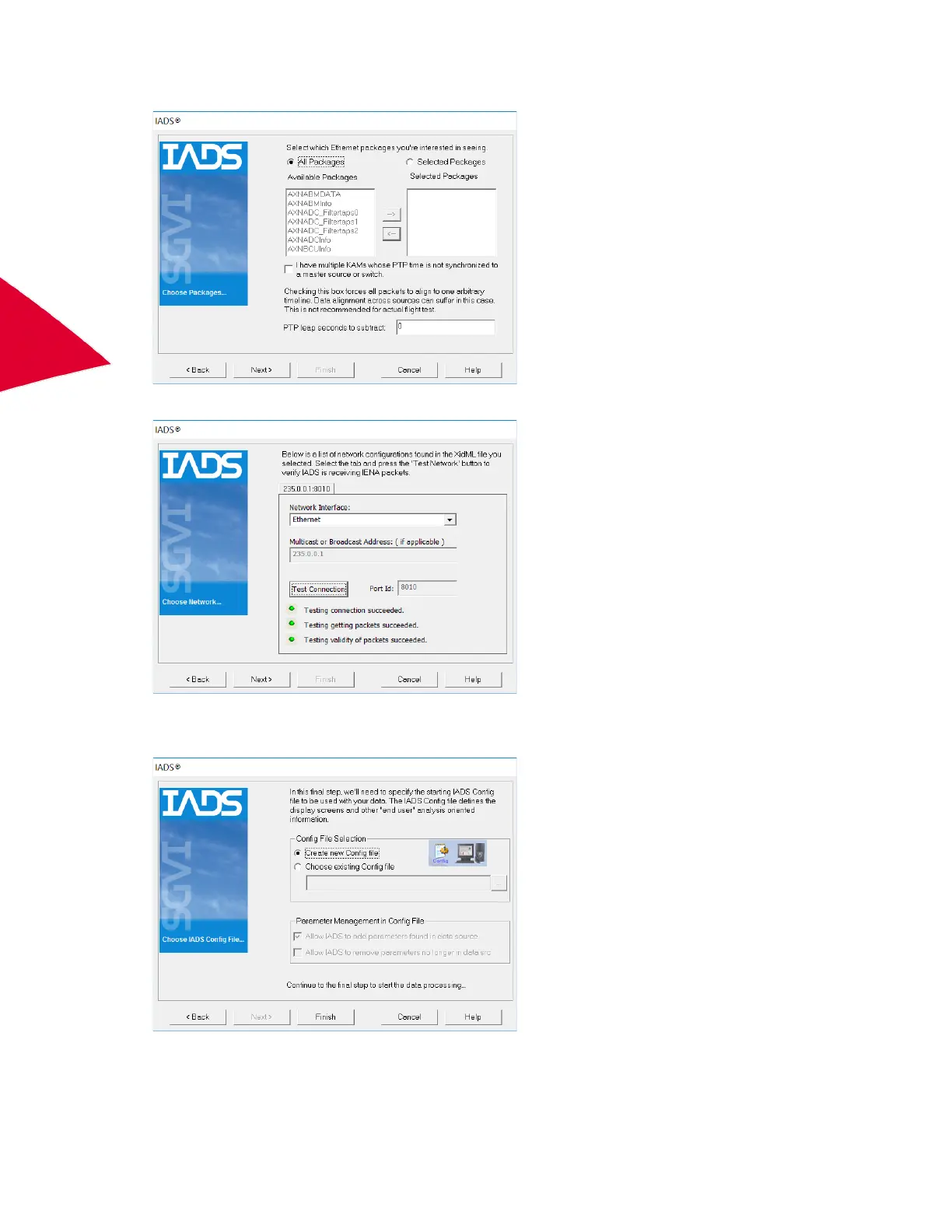
4. Select the All Packages radio button and then click Next.
5. In the Network Interface drop-down menu, select Ethernet and then click Test Connection.
6. If three green lights are indicated, click Next.
7. Select the Create a new Config file radio button and then click Finish.



 To Next Page