Bend Numerical Page → →
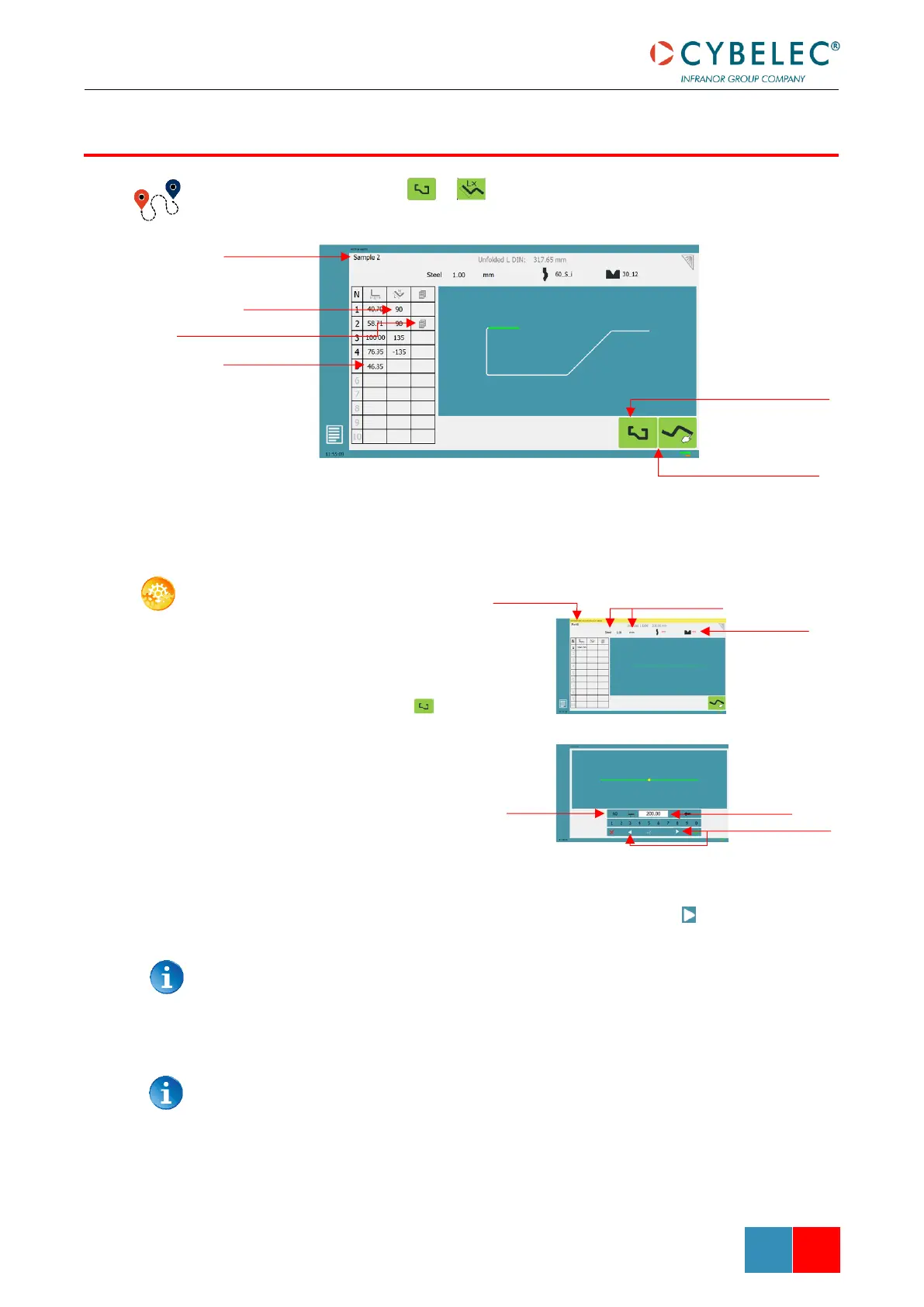
In this mode, the operator can define each step (length or angle) of a profile on a table.
SETTING INSTRUCTIONS:
1. Touch the program
number, select New
program in the list, and
touch Graphical 2D.
2. Press this button to
access the L-alpha mode.
3. First select the material,
its thickness and the
tools to be used for the
part by touching their
respective icons.
4. Touch the first value in
the table (here 200.00).
The window to the right
is displayed.
5. Enter the value for the first segment’s length and touch the button to add
another step.
Click on OK when prompted to create new step.
6. Proceed in the same manner for all steps and angles of the profile.
7. If a bend needs special parameters (large radius, special tool), press in the more
field of the corresponding sequence.
A special punch or /and die means there must be an additional working station.



 To Next Page