Because the production of parts follows cycles, the programs related to those parts need to
be managed. They need to be stored, called into function, and so on.
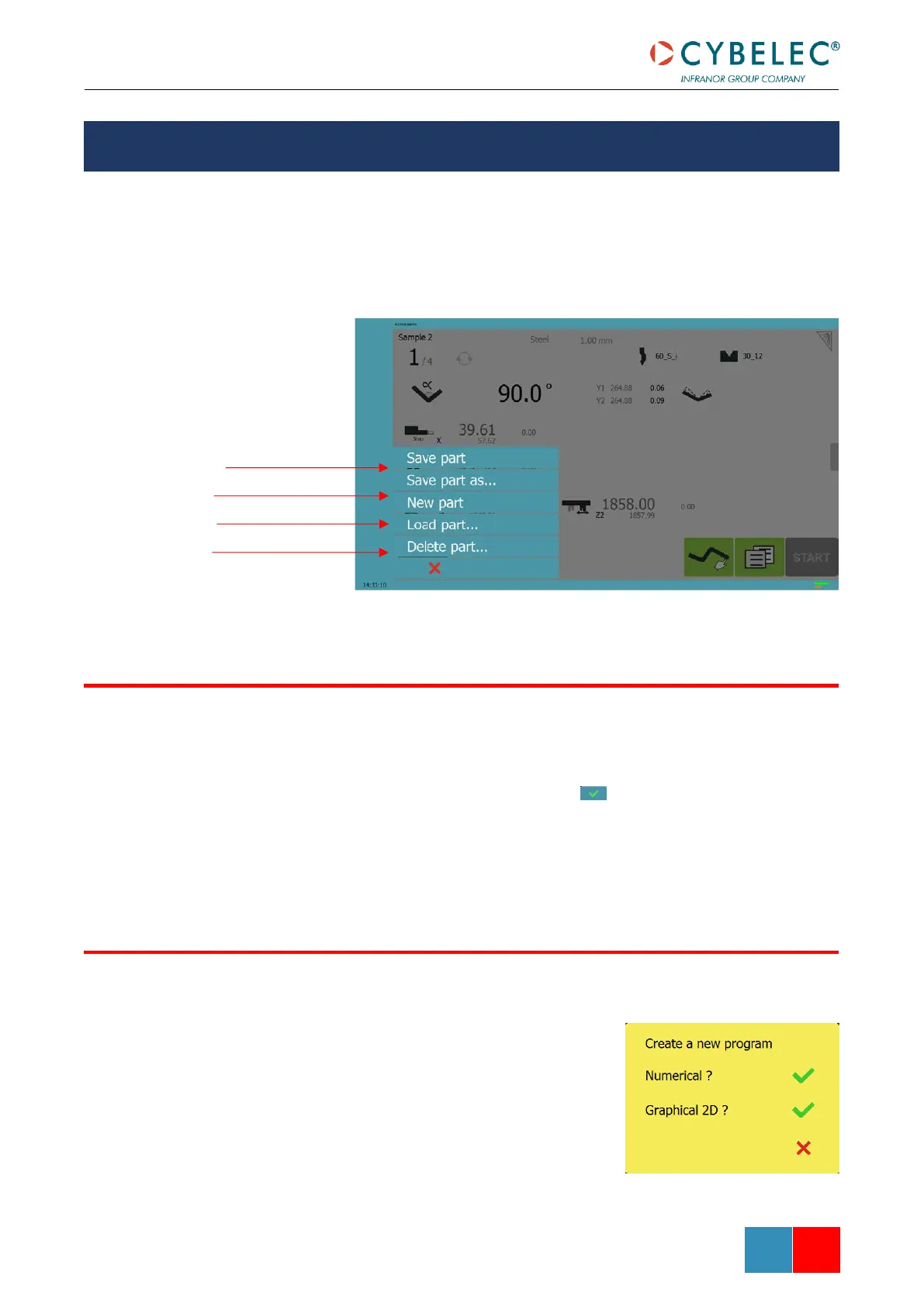
On the VisiTouch, the Program name is displayed on the top left corner of different pages.
Touching it will open the following menu:
After creating a program, an operator can save the program in order to use it again:
1. Touch the Program name.
2. Touch Save part as… to save a new part. Give it a distinctive name using the
alphanumerical keyboard and validate with .
3. Or touch Save part to save the modifications made to an existing part.
4. The program is now saved in the VisiTouch.
To create a new program:
1. Touch the Program number (e.g. P1).
2. Touch New program.
3. A yellow pop-up windows asks what kind of program:
» Selecting Graphical will open a new program
in the TouchProfile Mode.
» Selecting Numerical will open a new program
in the Numerical Mode.



 To Next Page