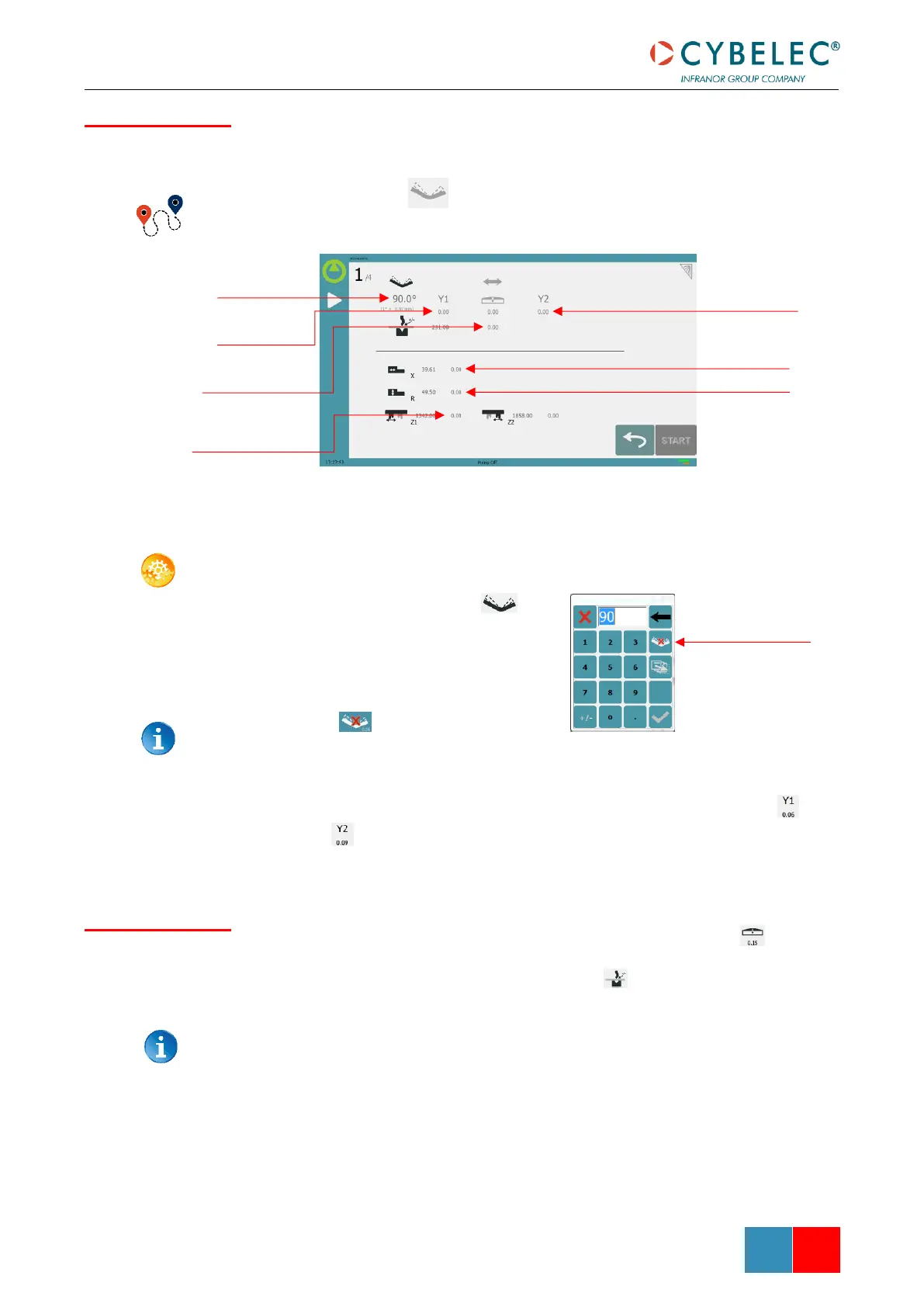
After physically measuring the angle, if corrections are to be made, they must be done on
this page, and not directly in the program step.
Bend Numerical Page →
SETTING INSTRUCTIONS:
1. Touch the angle correction icon
and enter the physically measured
value of the angle. The numerical
control will automatically calculate the
Y1 and Y2 axes corrections.
Pressing this button will reset all angle
corrections.
2. Depending on the position of the sheet metal in the press, it may be necessary to
fine-tune the beam’s corrections. It is possible by simply touching this icon or
this one and entering the desired values.
3. Corrections to the crowning value can be made by touching this icon .
4. The numerical control automatically calculates the Pinch Point height. If it needs
correction, it can be done by touching this icon .
The greyed value next to the Pinch Point correction icon is the value calculated by
the numerical control, and thus the value onto which the correction will be applied.



 To Next Page