DAP-1620 AC1300 MU-MIMO Wi-Fi Range Extender
User Manual
Installation and Connection
Configuring IP Address in OS Windows 10
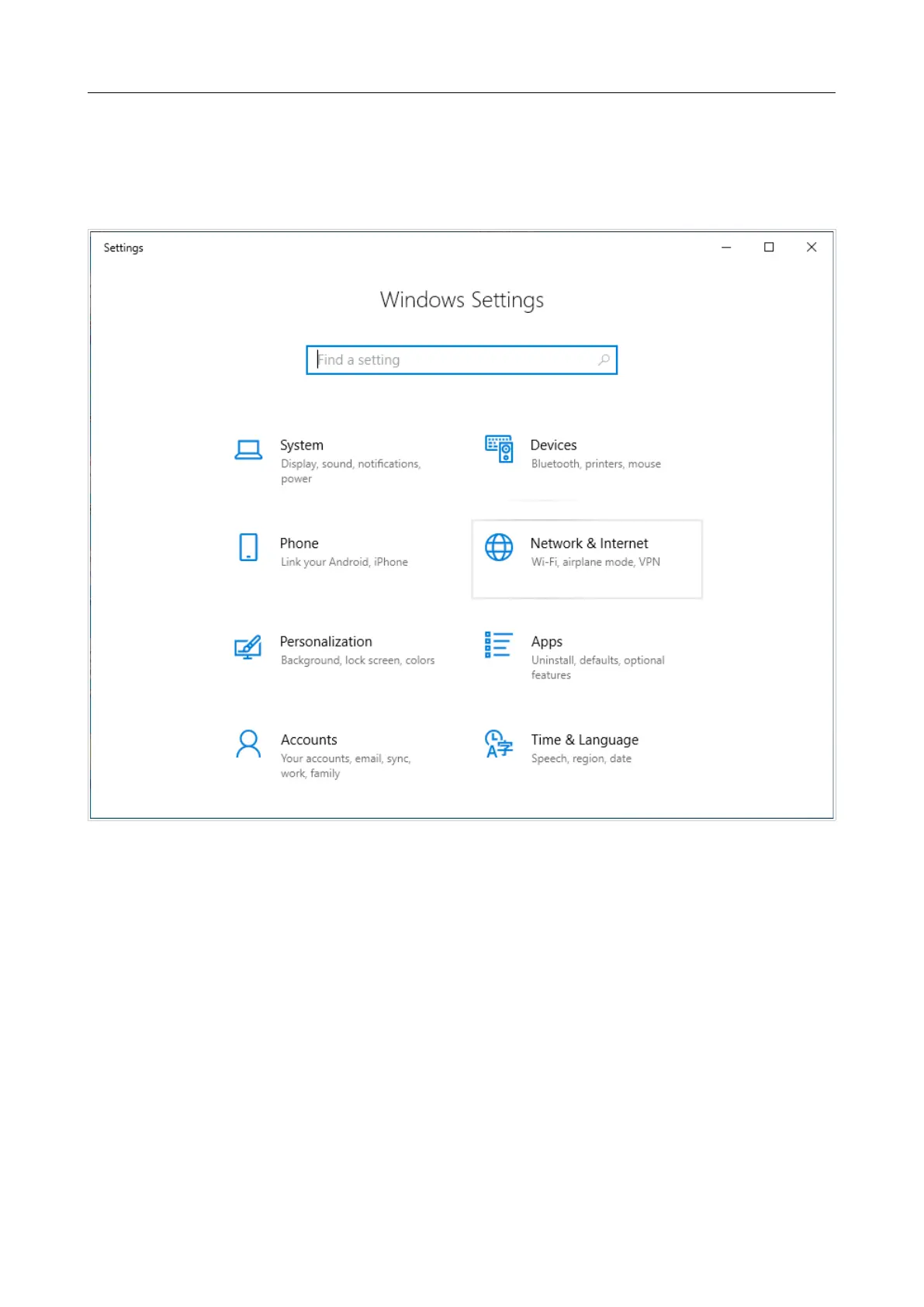
1. Click the Start button and proceed to the Settings window.
2. Select the Network & Internet section.
Figure 8. The Windows Settings window.
Page 21 of 125





 To Next Page