13D-Link DCS-7010L User Manual
Section 2: Installation
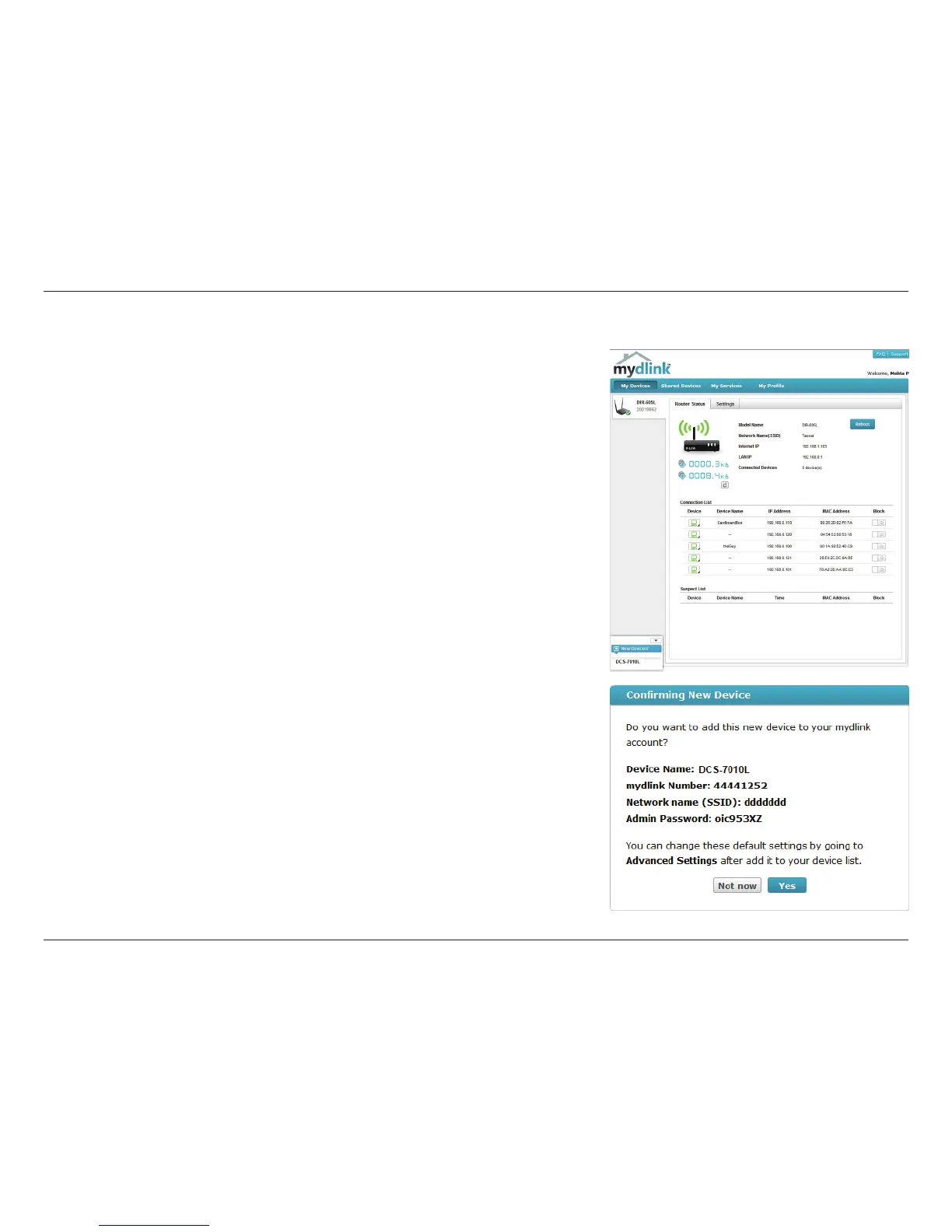
A summary and conrmation notication will appear with the automatically
congured details. Make a note of the details and click OK to add the camera to
your account.
Check Your mydlink Account
From any computer, open a web browser, go to http://www.mydlink.com and log
into your account. Once mydlink detects your camera, a New Device Found!
notice will appear in the bottom-left corner. Click on the device name to continue.


 To Next Page