59D-Link DCS-7010L User Manual
Section 4: Conguration
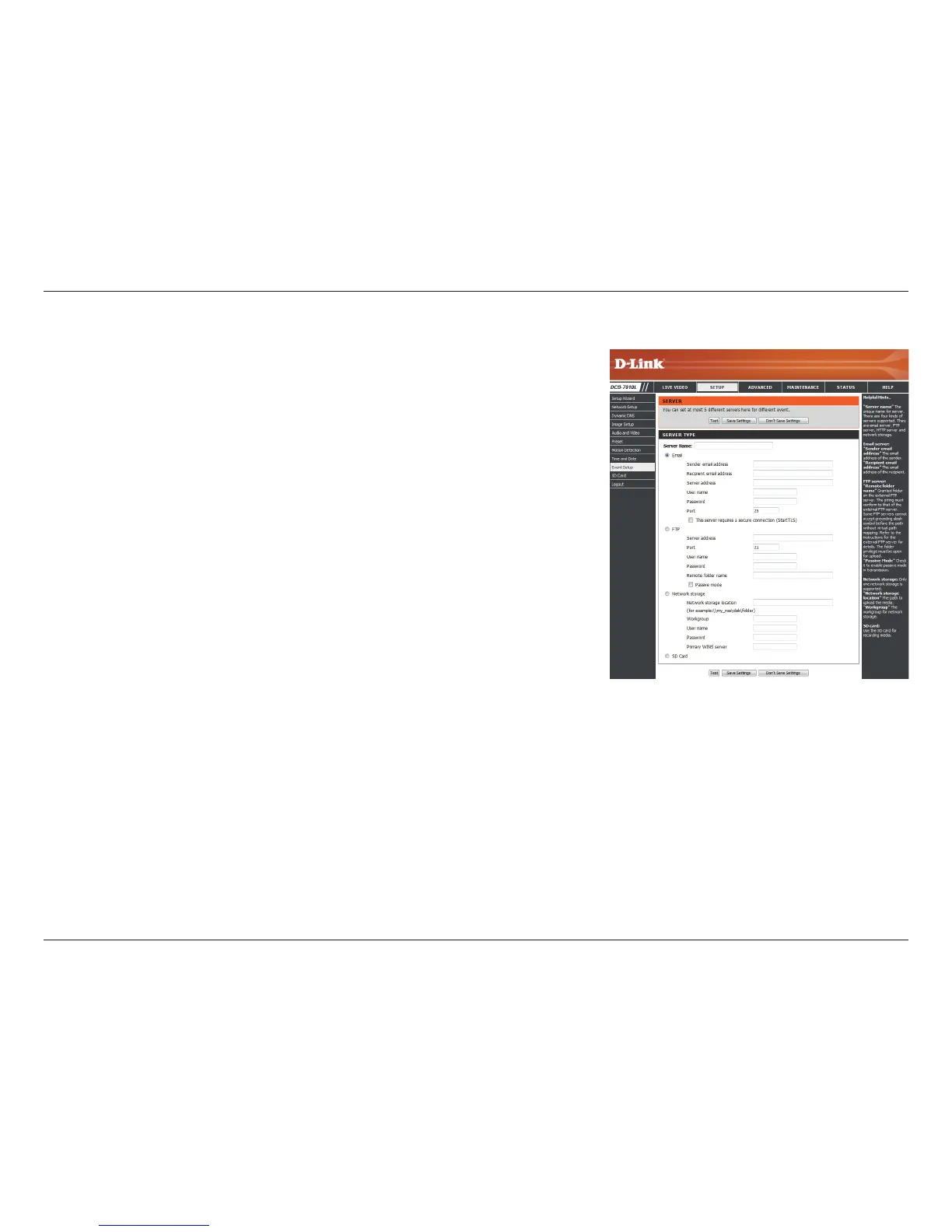
Add Server
Server Name:
E-mail:
FTP:
Network Storage:
SD Card:
Enter the unique name of your server.
Enter the conguration for the target e-mail server
account.
Enter the conguration for the target FTP server account.
Specify a network storage device. Only one network
storage device is supported.
Use the camera's onboard SD card storage.
You can congure up to 5 servers to save snapshots and/or video to. After making any
changes, click the Save Settings button to save your changes.


 To Next Page