DIR-100 Triple Play Router
DNS Settings
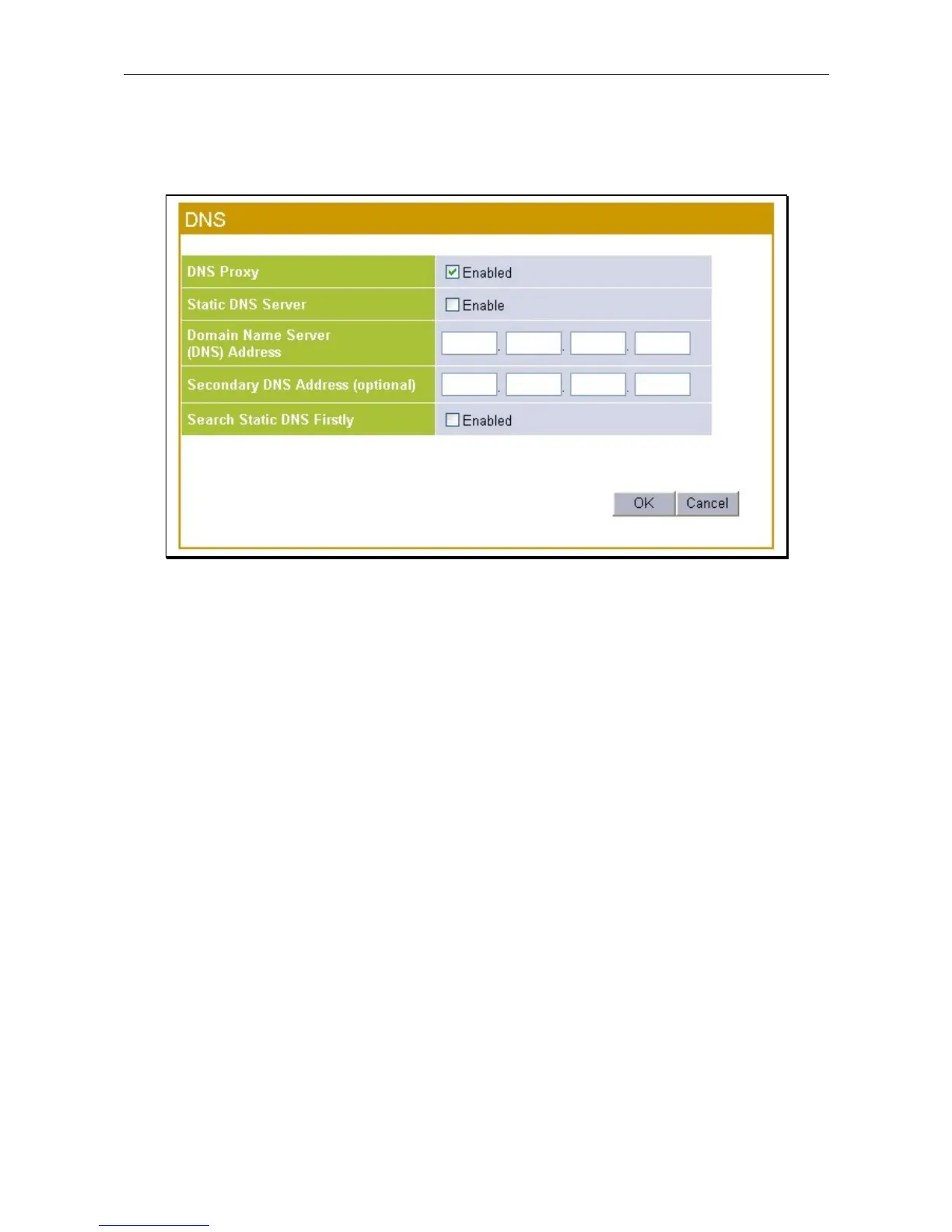
Use the DNS settings menu to set up DNS relay or static DNS service for LAN clients.
DNS settings menu
Use the DNS Proxy option to relay DNS settings automatically from the ISP to properly configured LAN
side clients. To use manually configured DNS settings, select the Static DNS Server option. To disable all
DNS function from the Router, make sure neither option is selected. If both Static DNS and DNS proxy are
used, the option to Search Static DNS First can be selected to designate the manually configured DNS server
as the preferred DNS server.









 To Next Page