DIR-100 Triple Play Router
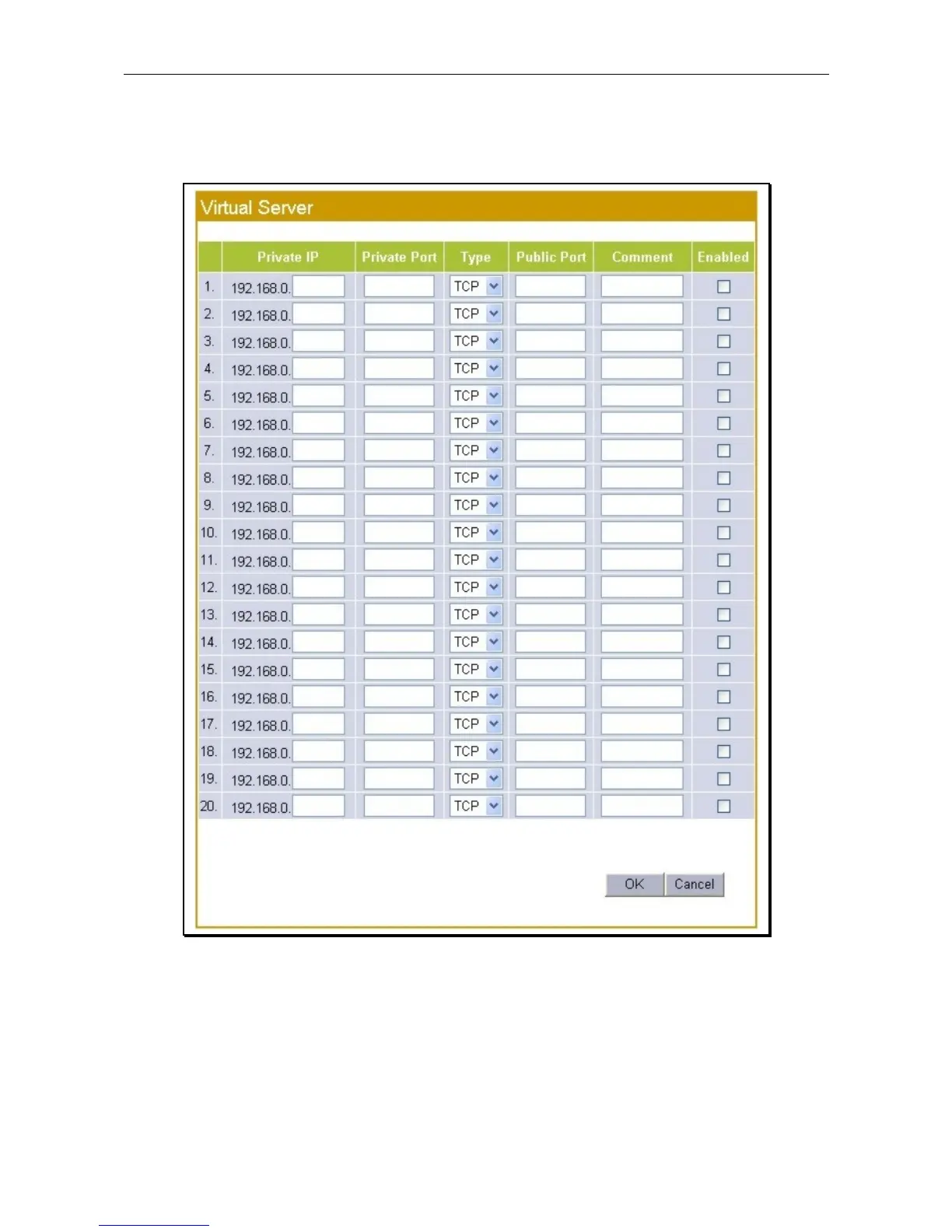
Virtual Server
The Virtual Server menu is used to configure single port forwarding to specified IP addreses on the LAN.
Typically this is used to forward requests to LAN side servers from the WAN.
Virtual Server menu
Enter the destination Private IP address on the LAN side, this is the station or server that recieves the single
port forwarding as defined by the rule. Configure the Private Port (LAN side) and port Type, the Public
Port (WAN side) and enter a Comment to describe the rule if desired. Rules can be Enabled or disabled at
any time.
Click OK to apply and save the new forwarding rule.









 To Next Page