DIR-100 Triple Play Router
DHCP Clients List
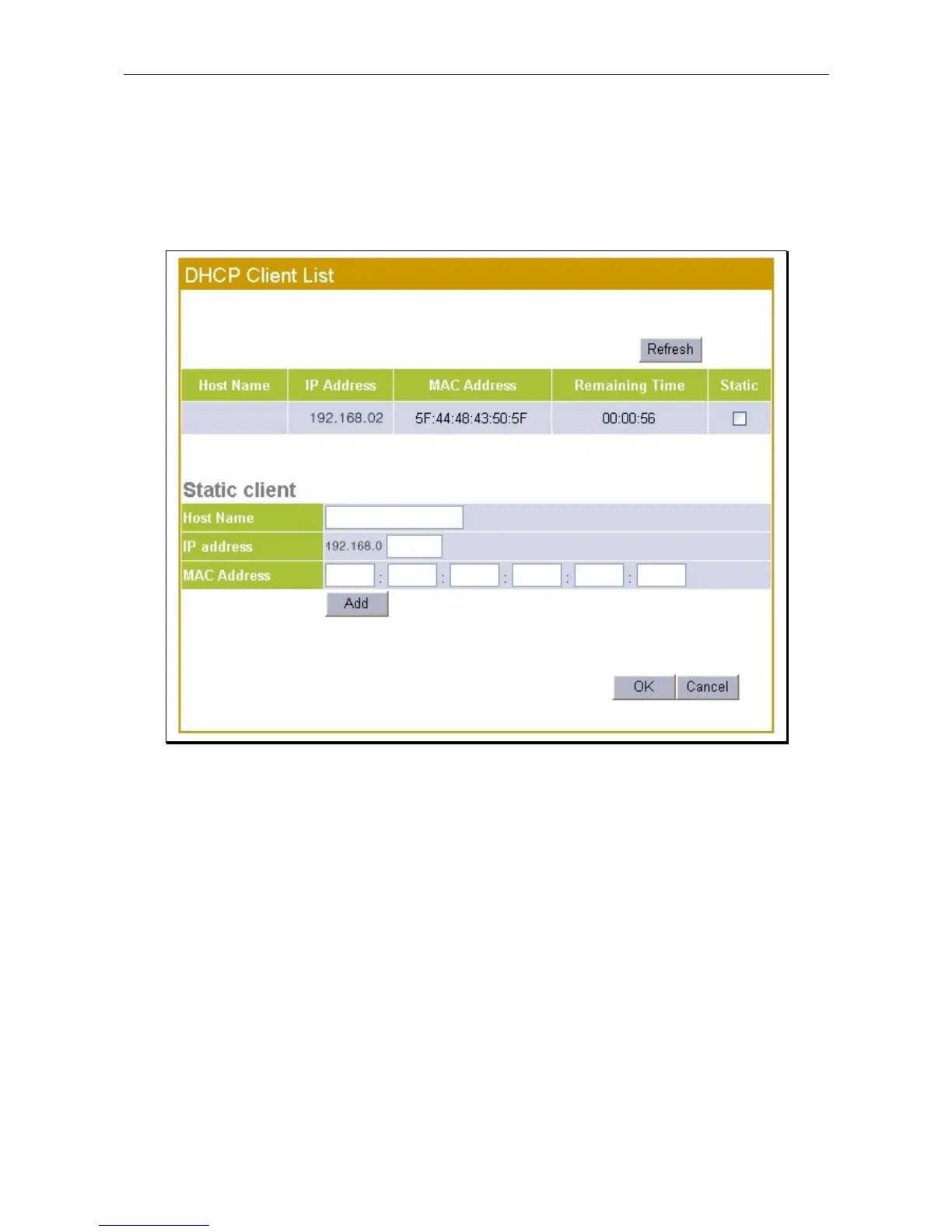
The DHCP Client List displays active DHCP clients. To reserve a Static IP address for a DHCP client on the
list, click the Static option box for the client, it will appear in the Static Client menu. Click the OK button to
assign the IP address as a Static IP address. This will remove the IP address form the available pool of IP
addresses used for DHCP.
DHCP Clients list and Static IP menu
To manually configure a Static IP address assignment for a DHCP client that is not currently listed, type the
last segment of the IP address, the MAC Address and Host Name of the client in the entry fields provided
and click on the Add button.









 To Next Page