DIR-100 Triple Play Router
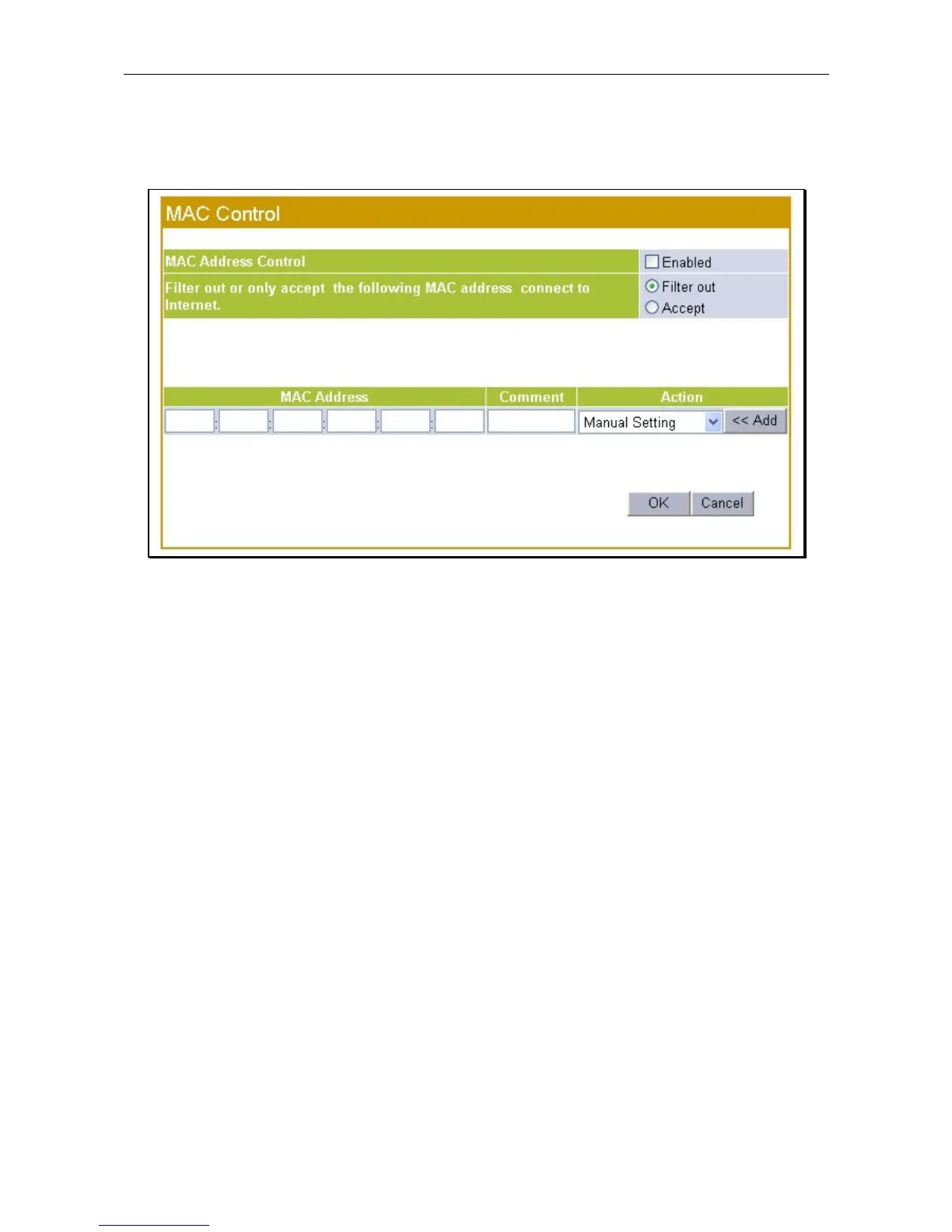
MAC Control
The MAC Control menu is used to specify MAC addresses that are either denied or allowed WAN access as
a group. This is especially for wireless networks.
MAC Control menu
Select a client MAC address form the pull-down menu or type in a MAC address to be added. Click the Add
button to place the MAC address on the list. Filtering options for MAC addresses are to eitehr Accept or
Filter out (deny) access to the WAN side for the entier list. Click teh Enabled box to apply the filter and
click the OK button to apply and save the MAC filter rules.









 To Next Page