DIR-100 Triple Play Router
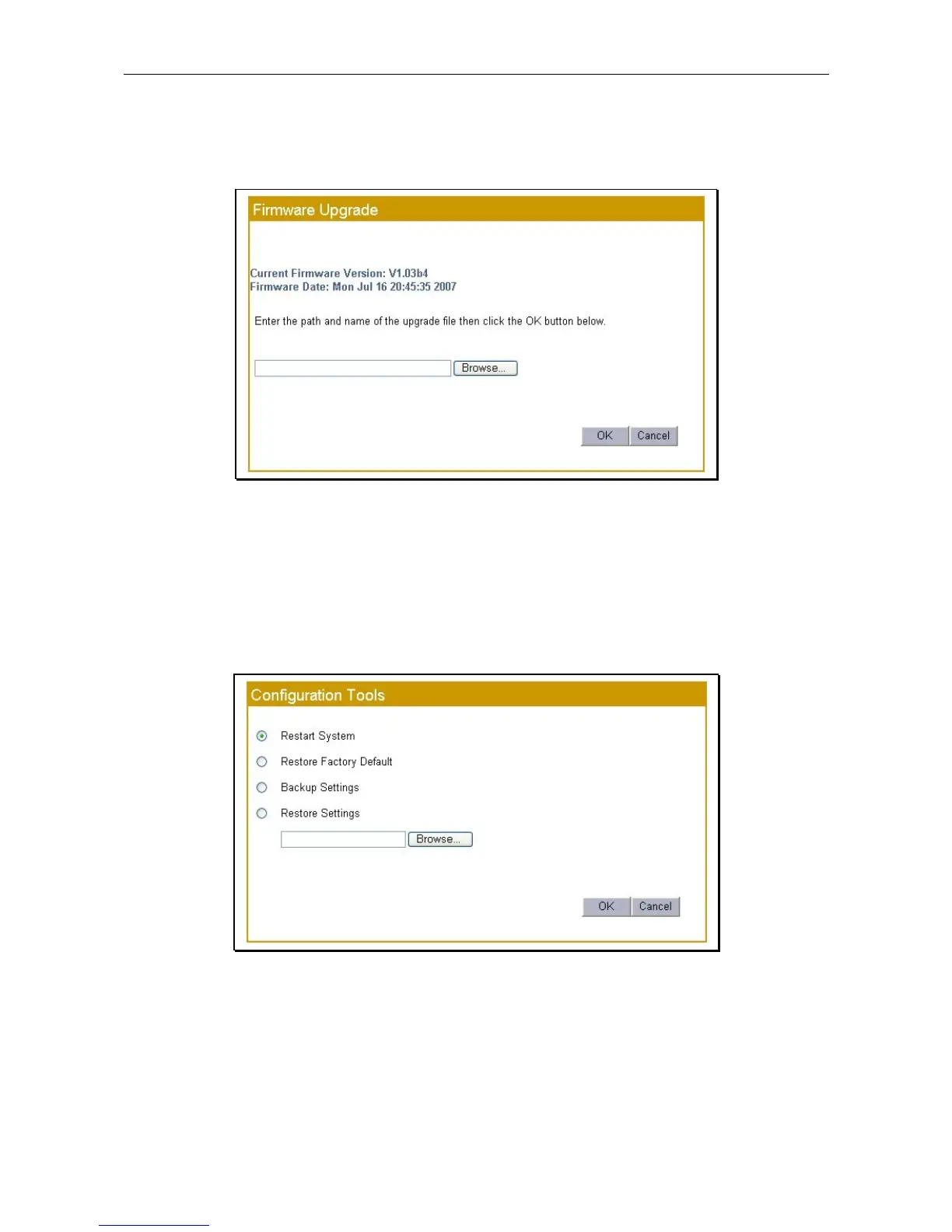
Firmware Upgrade
Make sure the Router has the latest firmware with the Firmware Upgrade menu. The firmware version is
listed in this menu as well as in the System Status display.
Firmware Update
Use the Browse button to locate the firmware file or type the full path and file name in the space provided.
Click OK to begin the transfer. Do not turn off the Router during the firmware upgrade process.
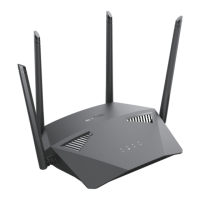
Configuration Tools
Use the configuration tools options to perform a simple Restart System, Restore Factory Default settings,
Backup Settings to a file on the computer or load a previous saved configuration file from the computer to
Restore Settings.
Save and Restore menu
Select the task to perform and click the OK button to begin. For Restore Settings it is necessary to define the
location of the saved configuration file. Use the Browse button or type the full path and file name in the
space provided. Do not turn the Router off while configuration settings are being restored.









 To Next Page