DIR-100 Triple Play Router
Routing
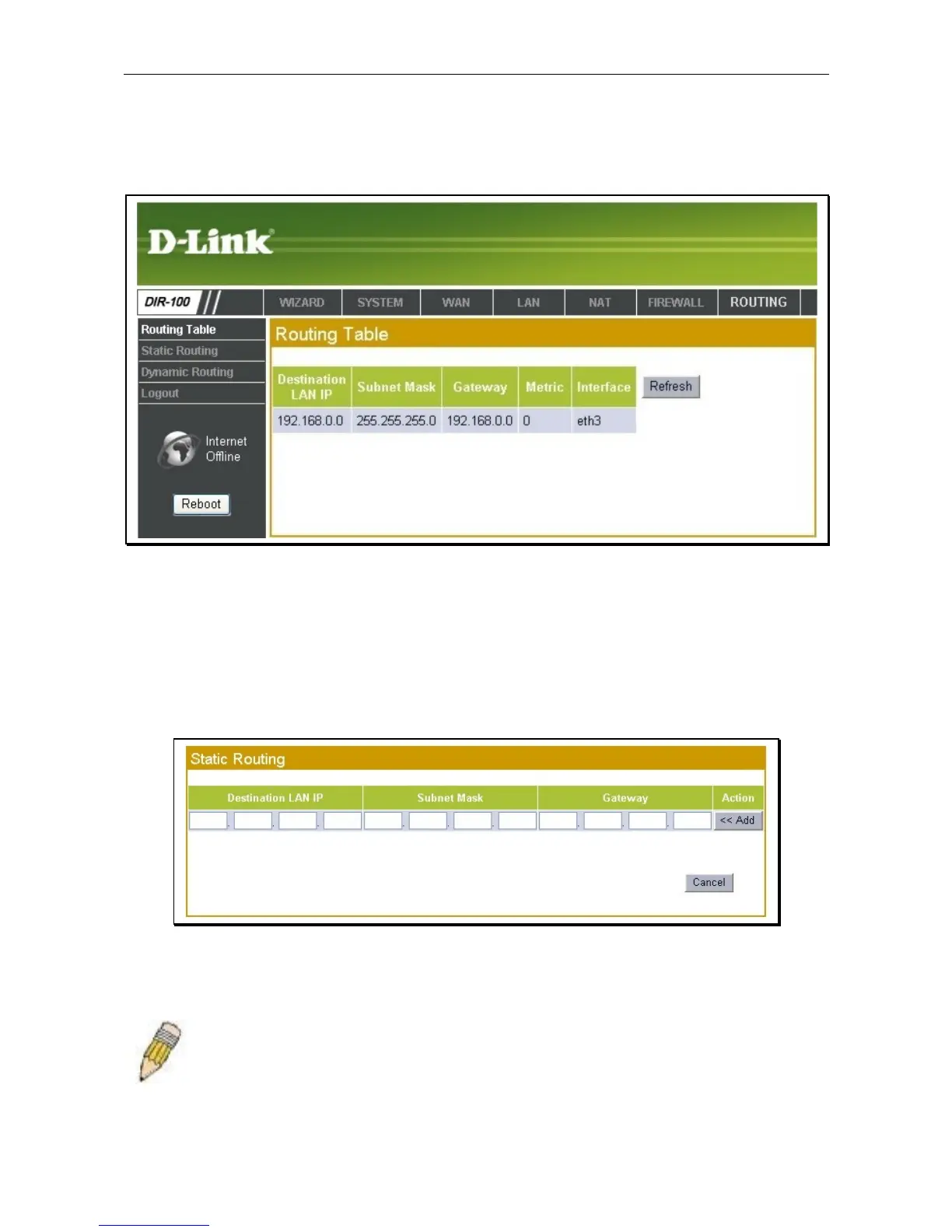
The Routing menus are used to view the routing table and setup static routing.
Routing Table
Click Refresh to update the routing table.
Static Routing
Use Static Routing to specify a route used for aggregate traffic distributed to multiple routers within your
Ethernet LAN or to route data on the WAN. This is used to specify that all packets destined for a particular
network or subnet use a predetermined gateway. Static routing on the WAN is only supported if your WAN
connection protocol is not using PPPoE.
Static Routing menu
To add a static route to a specific destination IP address, enter a Destination LAN IP address, select a
suitable Subnet Mask, and type in the Gateway IP address. Click the Add button to create the static route.
Note: Static routes are typically used on enterprise networks where multiple routers
are in use. For small networks using a single router, this function is not normally
needed.













 To Next Page