13D-Link DIR-505 User Manual
Section 2 - Installation
Manual Setup
Router/Access Point Mode
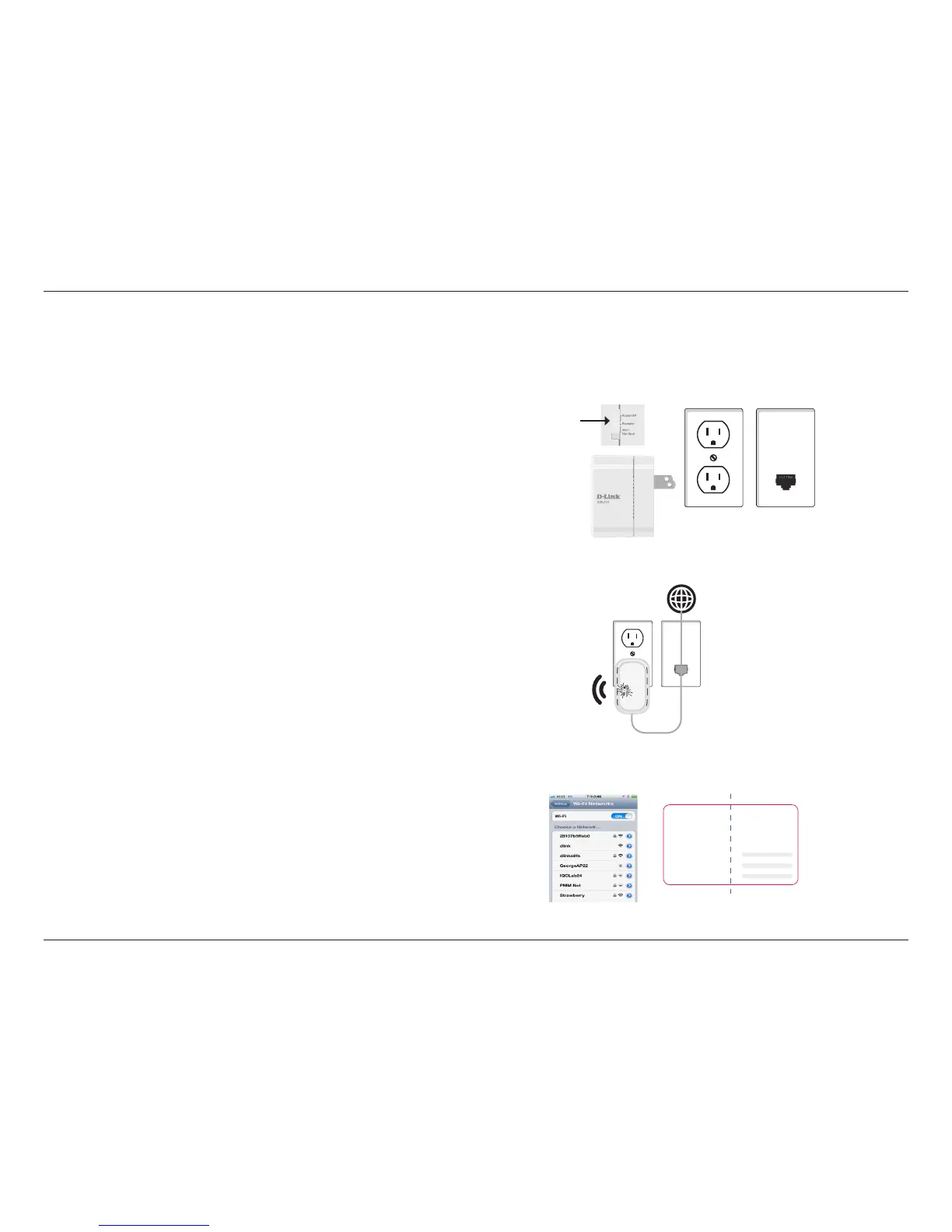
1. Find an outlet close to an Internet- enabled device. Then, move the
switch to “Router/AP Mode” and plug the DIR-505 into a wall outlet.
Verify that the power LED has turned green.
2. Connect one end of the Ethernet cable into the Ethernet port of the
Internet-enabled device and then plug the other end of this cable
into the Ethernet port of the DIR-505.
3. From your laptop or mobile device go to your Wireless Utility to
display the available wireless networks and select the Wi-Fi name
that is displayed on your companion card (ex: dlink-a8fa). Then,
enter the Wi-Fi password included in your card (akbdj1936).
Outlet
Ethernet
Router/AP





 To Next Page