99D-Link DIR-518L User Manual
Section 6 - Connecting a Wireless Client
Windows Vista®
Windows Vista® users may use the built-in wireless utility. If you are using a third-party utility or Windows® 2000, please refer to
the user manual of your wireless adapter for help with connecting to a wireless network. Most utilities will have a “site survey”
option similar to the Windows Vista® utility as seen below.
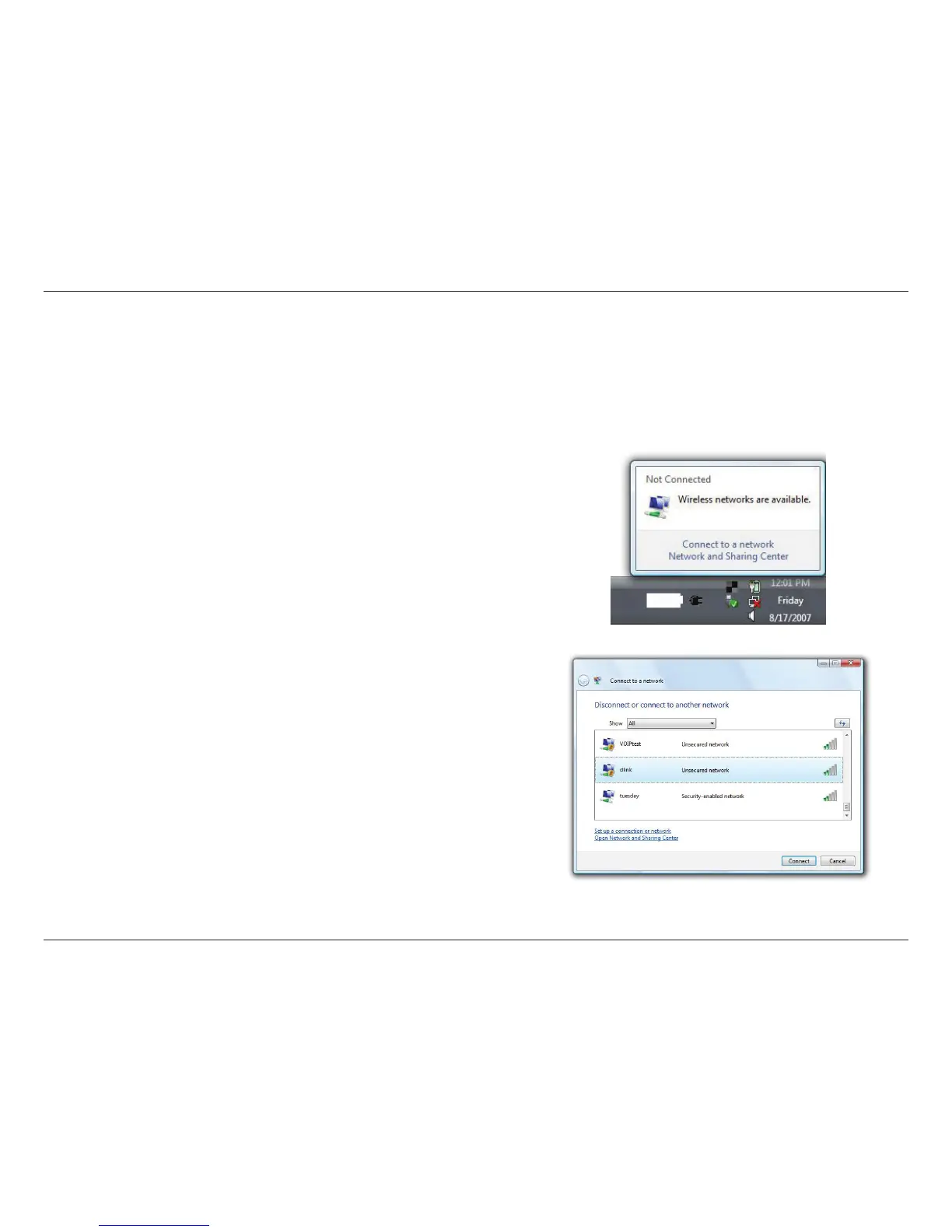
Right-click on the wireless computer icon in your system tray (lower-
right corner next to the time). Select Connect to a network.
If you receive the Wireless Networks Detected pop-up, click on the
center of the window to access the utility.
or
The utility will display available wireless networks in your area. Select
a network (displayed using the SSID) and click the Connect button.
If you have a good signal but cannot access the Internet, check your
TCP/IP settings for your wireless adapter. Refer to the Networking
Basics section in this manual for more information.



 To Next Page