73D-Link DIR-518L User Manual
Section 4 - Conguration
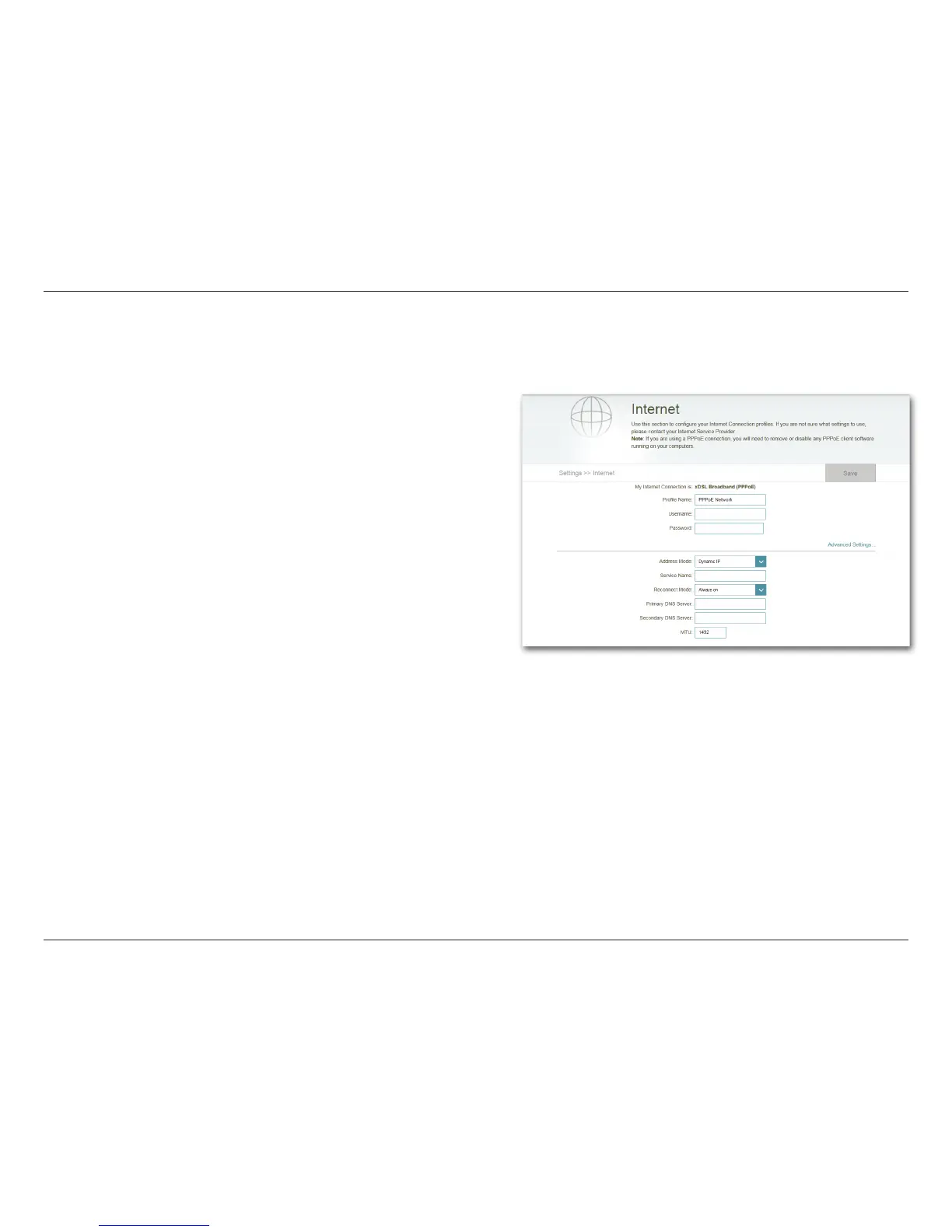
xDSL Broadband (PPPoE)
Depending on your Internet Service Provider, you may need to congure the PPPoE settings in order to connect to the Internet.
You may need to contact your ISP for this information. Click Save to store your settings.
Note: If you are using a PPPoE connection, you will need to remove or disable
any PPPoE client software running on your computers.
My Internet
Connection is:
Prole Name:
Username:
Password:
Select xDSL Broadband (PPPoE) from the drop-down list.
Enter a custom name for this prole.
Enter the username assigned by your ISP.
Enter the password assigned by your ISP.
Address Mode:
Service Name:
Reconnect Mode:
Primary
DNS Address:
Secondary
DNS Address:
MTU:
Select Static IP if your ISP assigned you the IP address,
Subnet Mask, Gateway, and DNS Server addresses.
Otherwise, select Dynamic.
Enter the ISP Service Name (optional).
Select either Always-on, On-Demand, or Manual.
Enter the Primary DNS Server Address.
Enter the Secondary DNS Server Address.
Maximum Transmission Unit - you may need to change
the MTU for optimal performance with your specic ISP.
1492 is the default MTU.
ADVANCED SETTINGS



 To Next Page