60D-Link DIR-518L User Manual
Section 4 - Conguration
Home
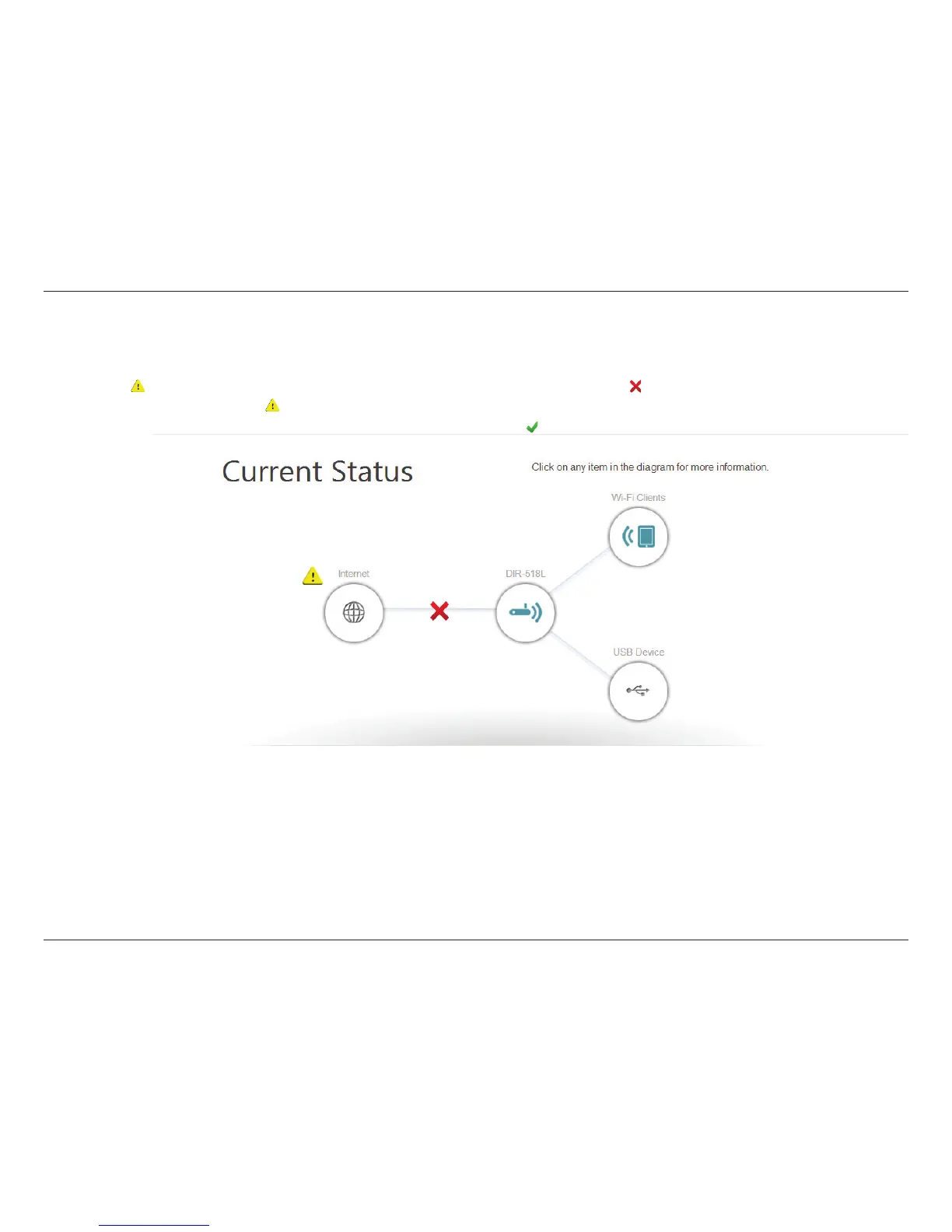
The Internet icon indicates the status of the Internet connection to the router. It is grey if there is no connection,
and blue if a connection is established.
The router icon indicates the status of the Wi-Fi security on the DIR-518L. It is grey if it is unsecured, and blue if your Wi-Fi network
name (SSID) and password have been set.
The Wi-Fi icon indicates if there are clients currently connected to the router via Wi-Fi. It will be blue if there are active connections.
The USB icon will be blue if you have connected a USB storage device to the router.
Internet:
DIR-518L:
Wi-Fi Clients:
USB Device:
The Home page will display a diagram with icons indicating the statuses of various functions and connections. Clicking on an
icon with an next to it will start a wizard for that function. You may also click on the to congure your Internet connection.
If the link to the Internet shows , this means your router has been assigned an uplink IP but does not have Internet access.
You will need to contact your service provider. If the link is showing a , it means you are connected to the Internet.



 To Next Page