5D-Link DSL-124 Wireless N300 ADSL2+ Modem Router User Manual
Section 1 - Product Overview
Hardware Overview
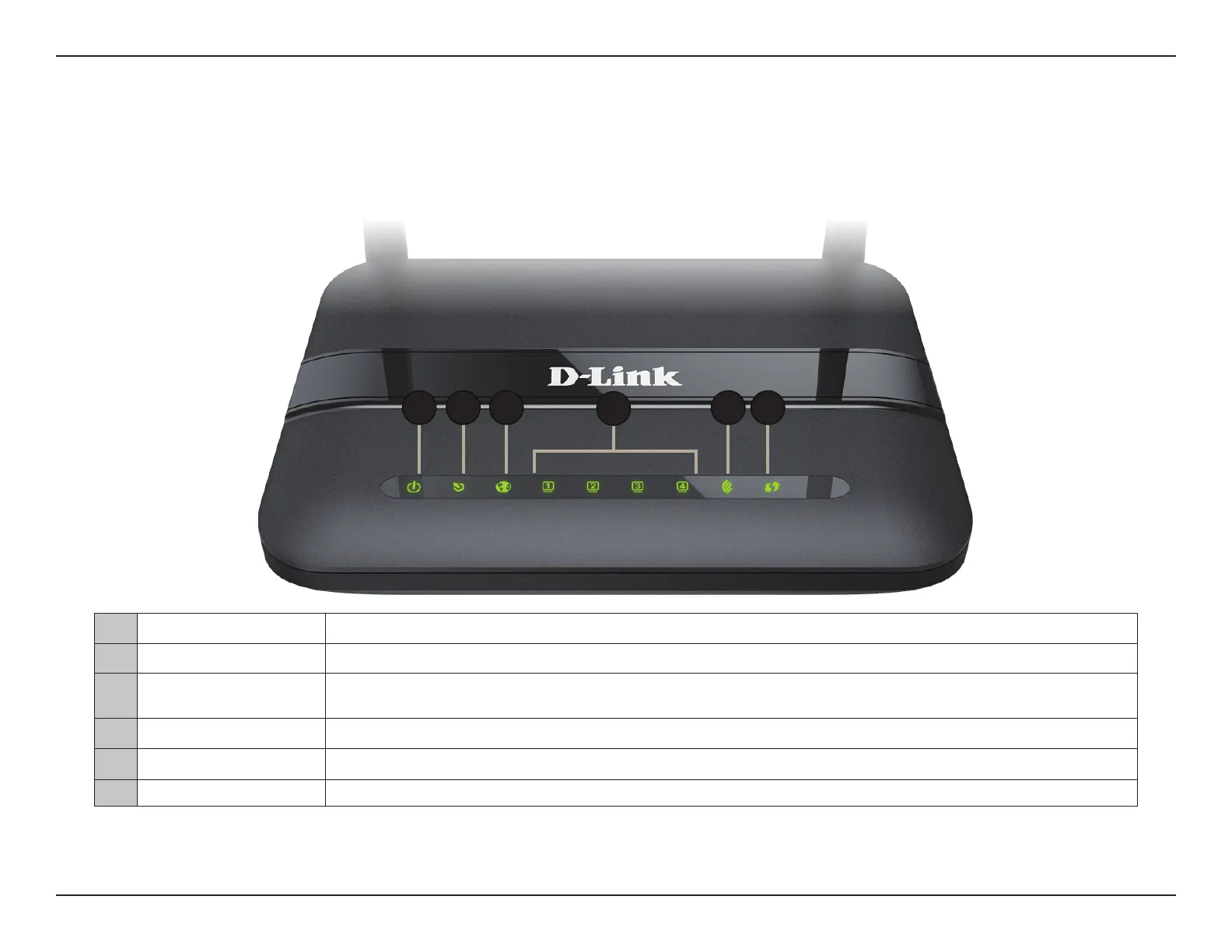
Front LED Panel
1 Power LED A solid green light indicates the unit is powered on. A red light indicates device malfunction.
2 DSL LED A solid green light indicates a proper connection to the ADSL enabled telephone line.
3 Internet
A solid green light indicates a proper connection to a broadband service. A red light indicates that IP
assignment has failed.
4 LAN LEDs 1-4 A solid green light indicates a connection to a device. The light will blink during data transmission.
5 WLAN LED A solid green light indicates that the Wi-Fi is ready.
6 WPS LED The light will blink during the WPS process.
4
31 2 55 6



 To Next Page