55D-Link DWR-512 User Manual
Section 3 - Conguration
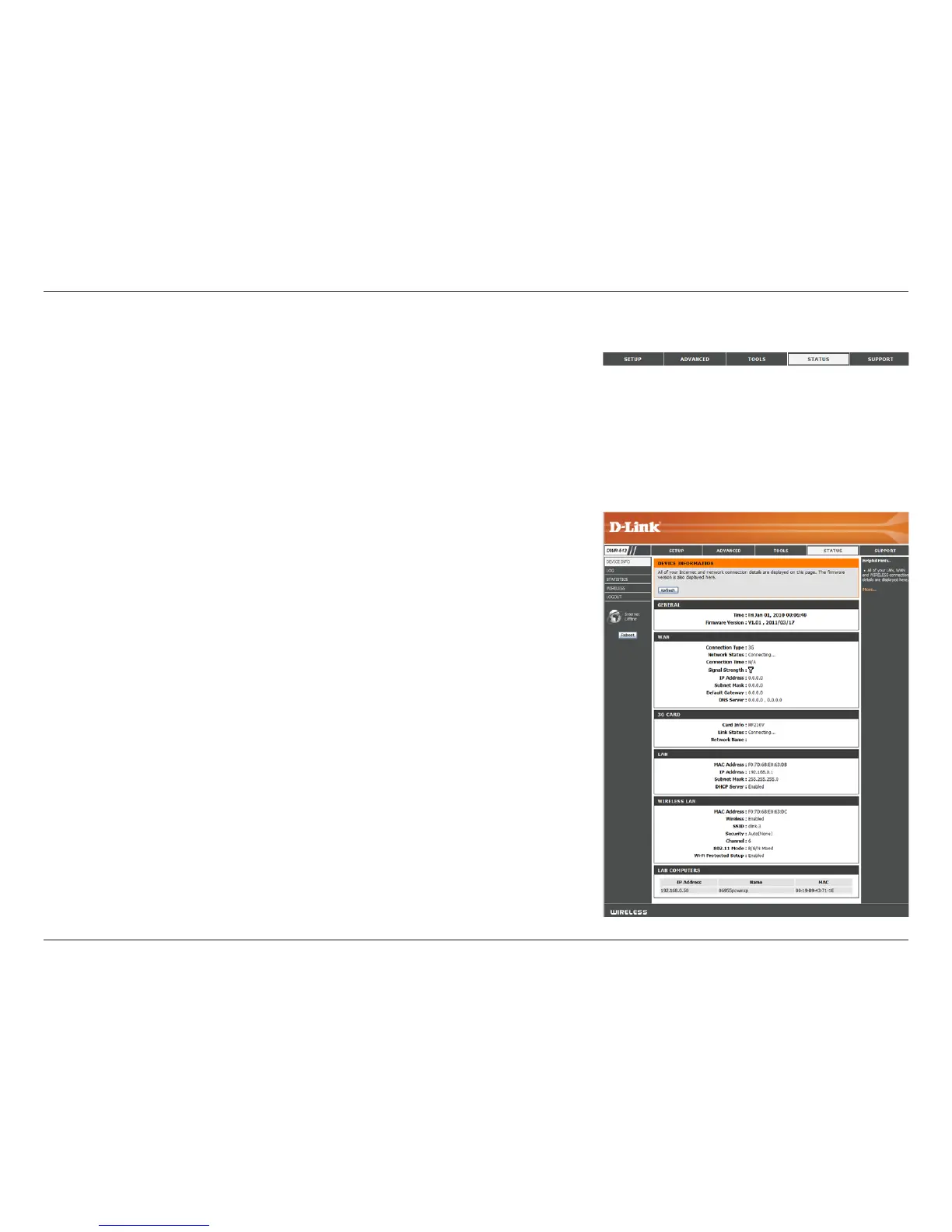
General:
WAN:
3G Card:
LAN:
Wireless LAN:
LAN Computers:
Device Info
All of your Internet and network connection details are displayed on this page. The rmware version is also displayed here.
Displays the current time and rmware version.
Displays the WAN connection details of the router.
Displays the 3G connection details of the router.
Displays the LAN connection details of the router.
Displays the wireless LAN connection details of the router
Displays the list of clients connected to the router.
Status
The STATUS pages allow you to see the current status of the router for various categories,
including WAN, 3G, network, and wireless. To view the Status pages, click on STATUS
at the top of the screen.



 To Next Page