12
② Input PASSWORD.
(Default is 0000)
③ If password is input, Setup mode will show up.
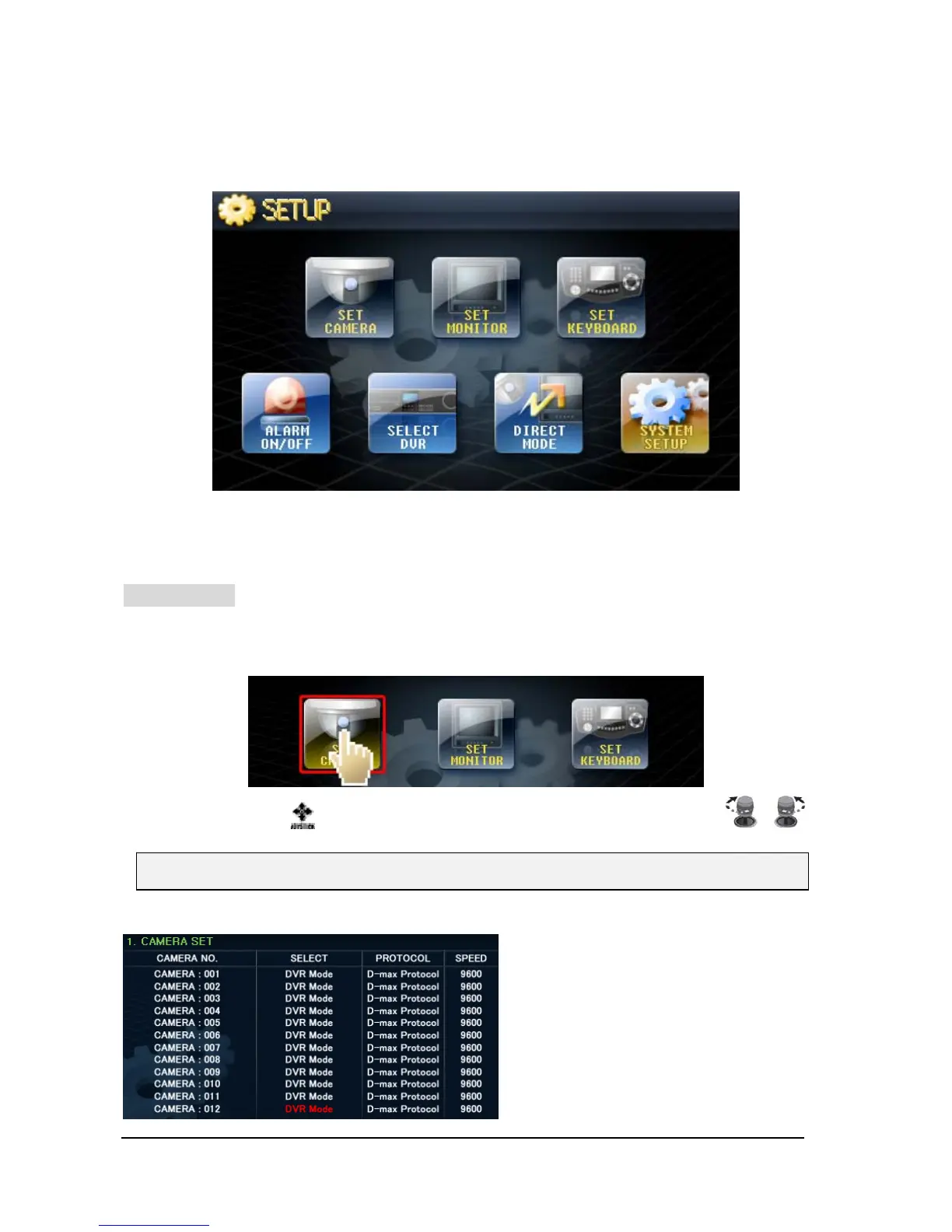
SET CAMERA
Setup for communication and usage of camera connected to this unit can be set here.
① Touch ‘SET CAMERA’ button on screen, then will go into “SET-UP” mode
② Move the Joystick up/down, left/right and set by turning upper Joystick.
• SELECT CAMERA
- Direct: Choose this when PTZ camera
is directly connected to keyboard or
Matrix..
- DVR mode: Select this mode when PTZ
Camera is connected to DVR.
- Do not use: It is used to lock the
camera so It can not be controlled.
♦ Max. 512 cameras set can be made..



 To Next Page