13
• PROTOCOL/SPEED
- D-max, Pelco-P, Pelco-D, Samsung Techwin / 9600, 4800, 2400bps can be chosen.
③ Press F/F button : After Save the set-up data and then move to Top Menu
Press F/N button : Escape set-up menu and then move to previous menu screen
④ After finish to select Camera, press “SET” button. Then move out to “Control Mode” screen.
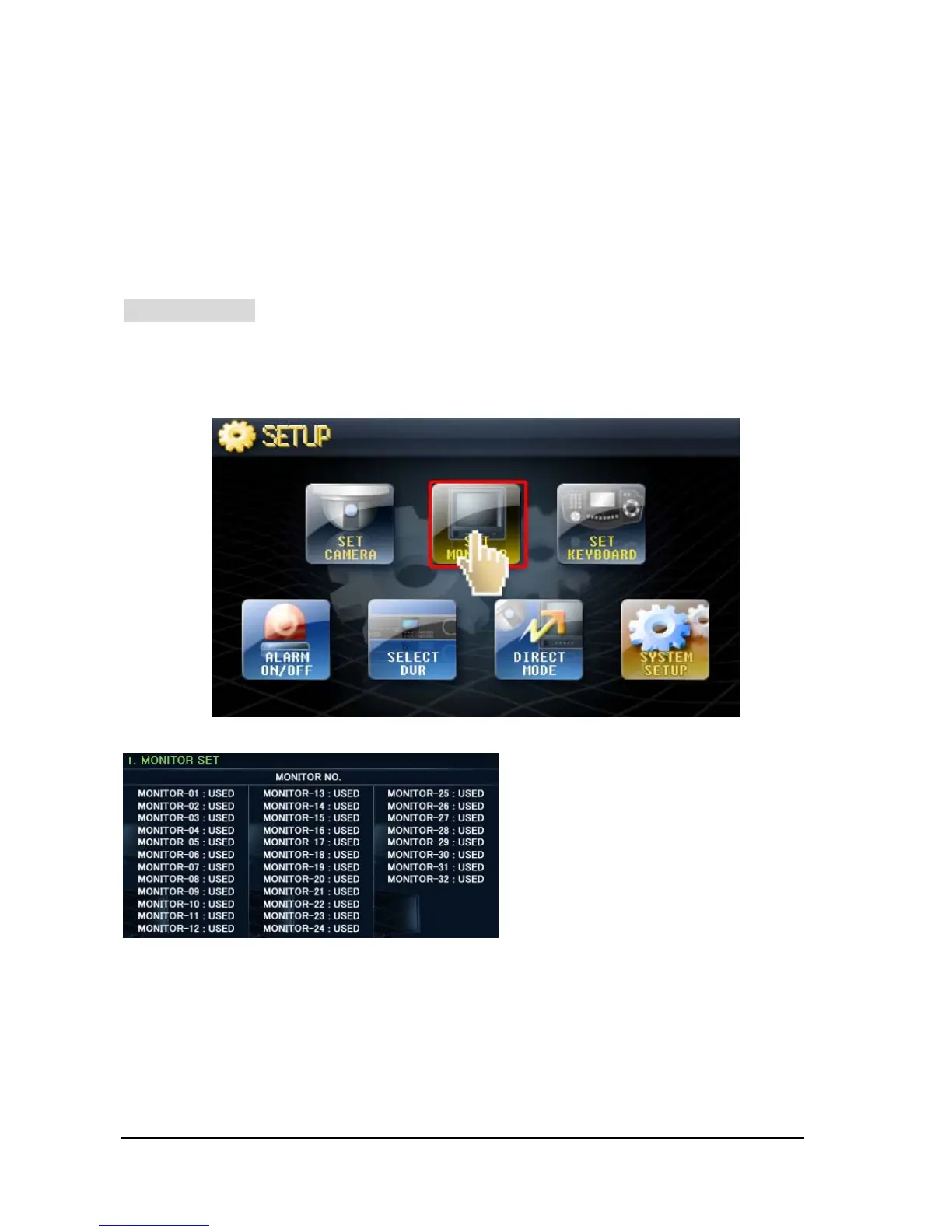
MONITOR Setup
You can set the Monitors here and make it useful or useless from this keyboard.
① Touch ‘SET MONITOR’ button on screen, then will go into “SET-UP” mode
③ Press F/F button : After Save the set-up data and then move to Top Menu
Press F/N button : Escape set-up menu and then move to previous menu screen
④ After finish to set-up, press “SET” button. Then move out to “Control Mode” screen.
• Max. 32 Monitors can be set.
• Move to “Monitor No” you like by using
Joystick up/ down, left/ right.
• You can turn it on/ off by turning the
upper Joystick(Head) clockwise or counter
clockwise.
- USED: Monitor in Use
- NOT USE: Monitor not in Use



 To Next Page