32
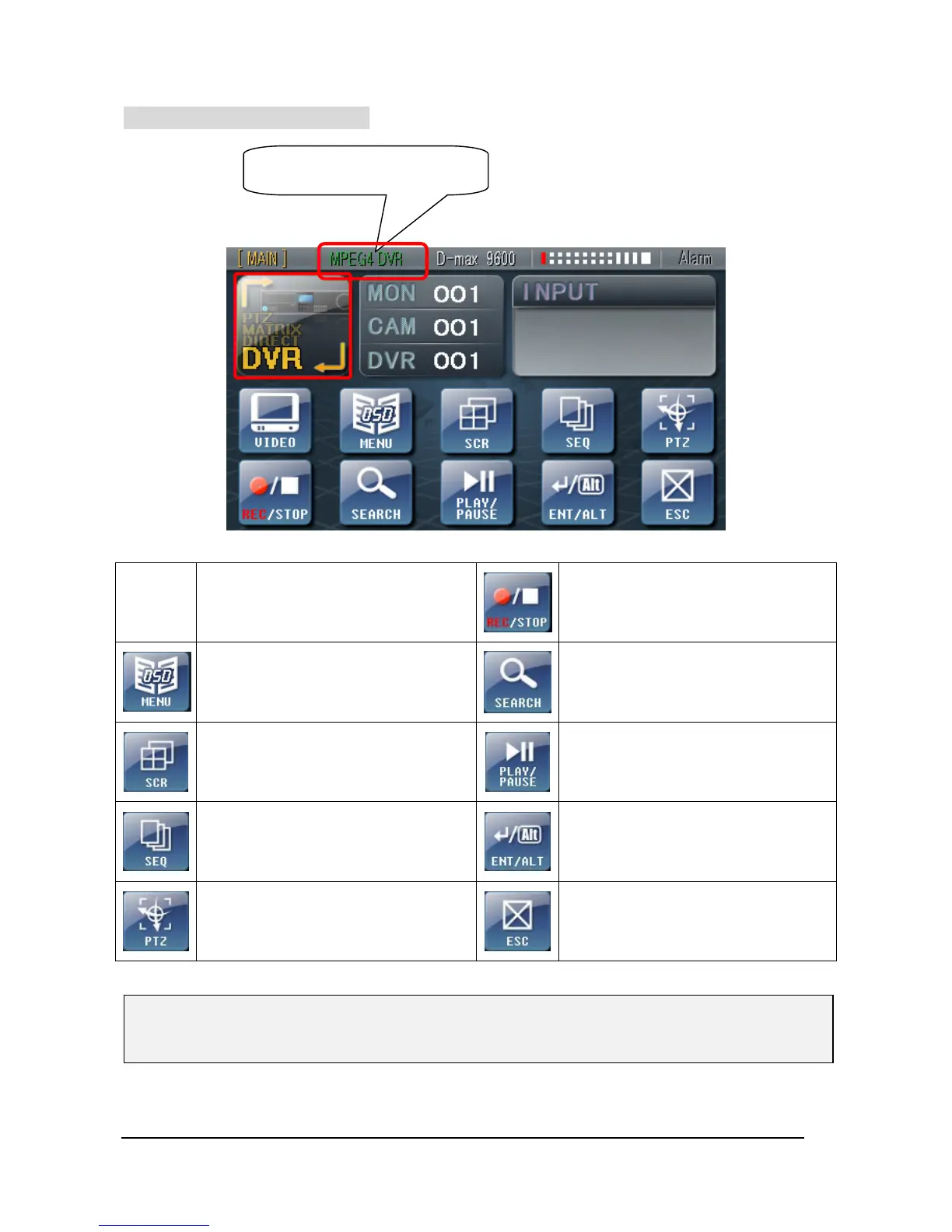
② Set-Up MPEG4 DVR mode
Starts/ Stop Recording
Enter DVR OSD MENU
Display recoding image
Video will be changed into 4/ 9/ 16CH
Playback/ Pause at Playback mode
Video automatically switches or stops
This button is used as a function key
in ‘Live view’ and ‘Enter’ in other
menus or search mode
To enter PTZ mode
Move to upper menu or cancel the
command
※ Please consult the DVR instruction manual for DVR OSD Menu or other related information in
detail..
Status Indicator will be
converted to ‘MPEG4 DVR”



 To Next Page