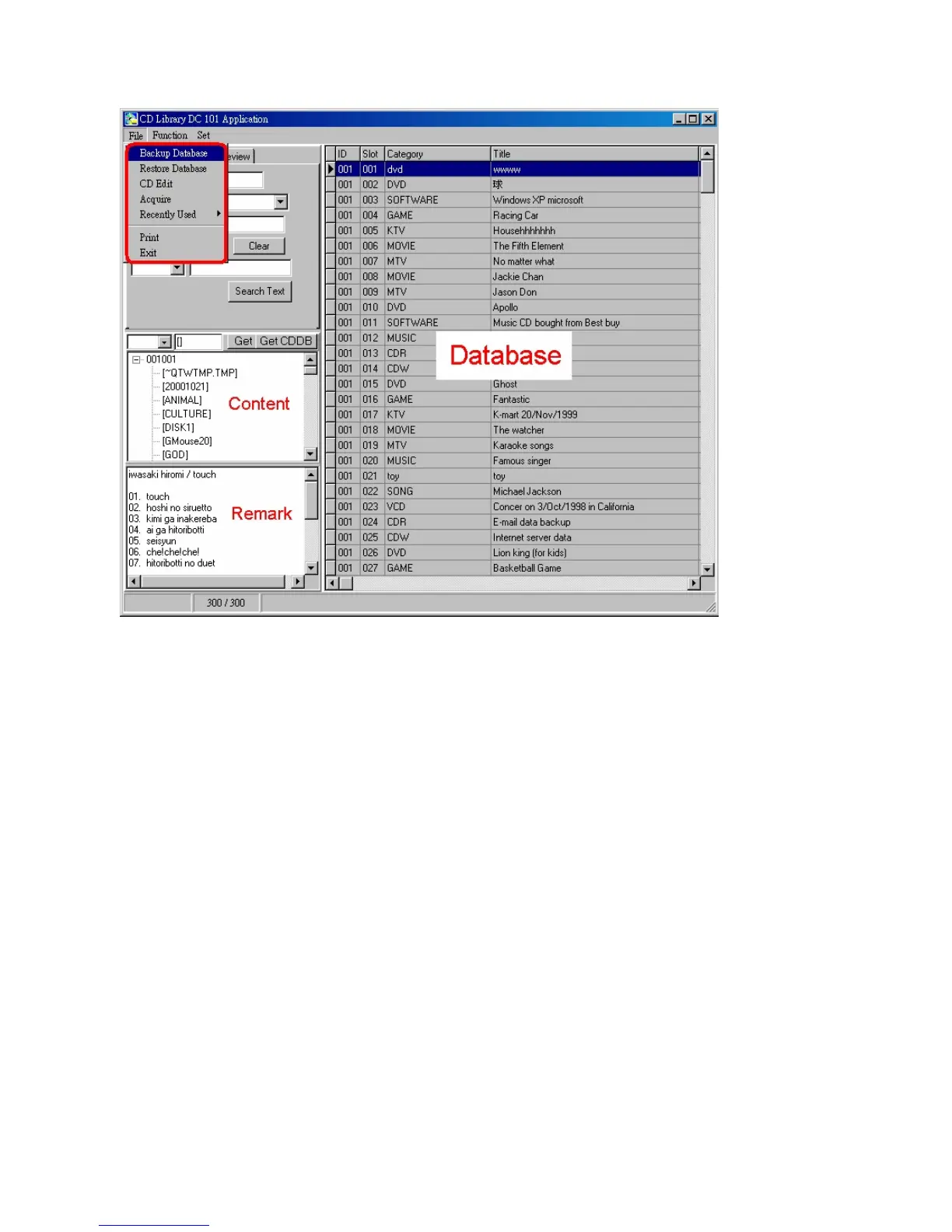
Command
1.File
Backup Database
After you have keyed in a large amount of data, you may select this
function, the program will backup all the data in the directory by
generating BAK files. You can find them in C:\Program Files\CD Library
(See picture below). All the folders in the 「CD Library」 folder are
database. When the original database is damaged, the program will use
the BAK folders to replace them (non BAK folders) automatically. It is for
emergency situation only. Please see following detail description:


 To Next Page