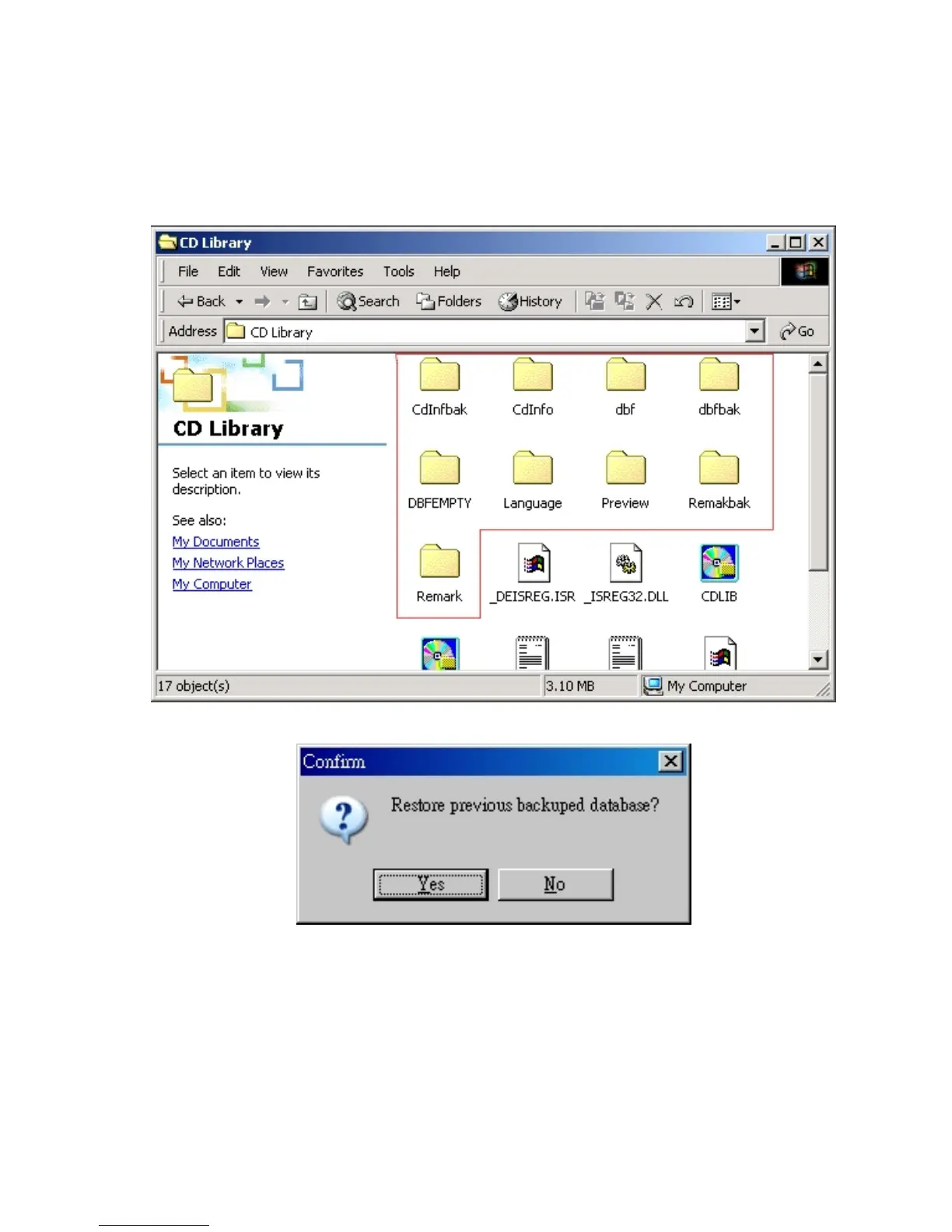
Important!! You need copy these 「all」 database folders to
another directory, once you want to re-install the software or
you want to use the same database in other computer, just
install CD Library software and then copy these folders to
the same directory. You can use the old database without
typing again.
Restore Database
If you want to use previous backup database, you can click
「Restore Database」 manually. The database will back to
the database before you backup.


 To Next Page