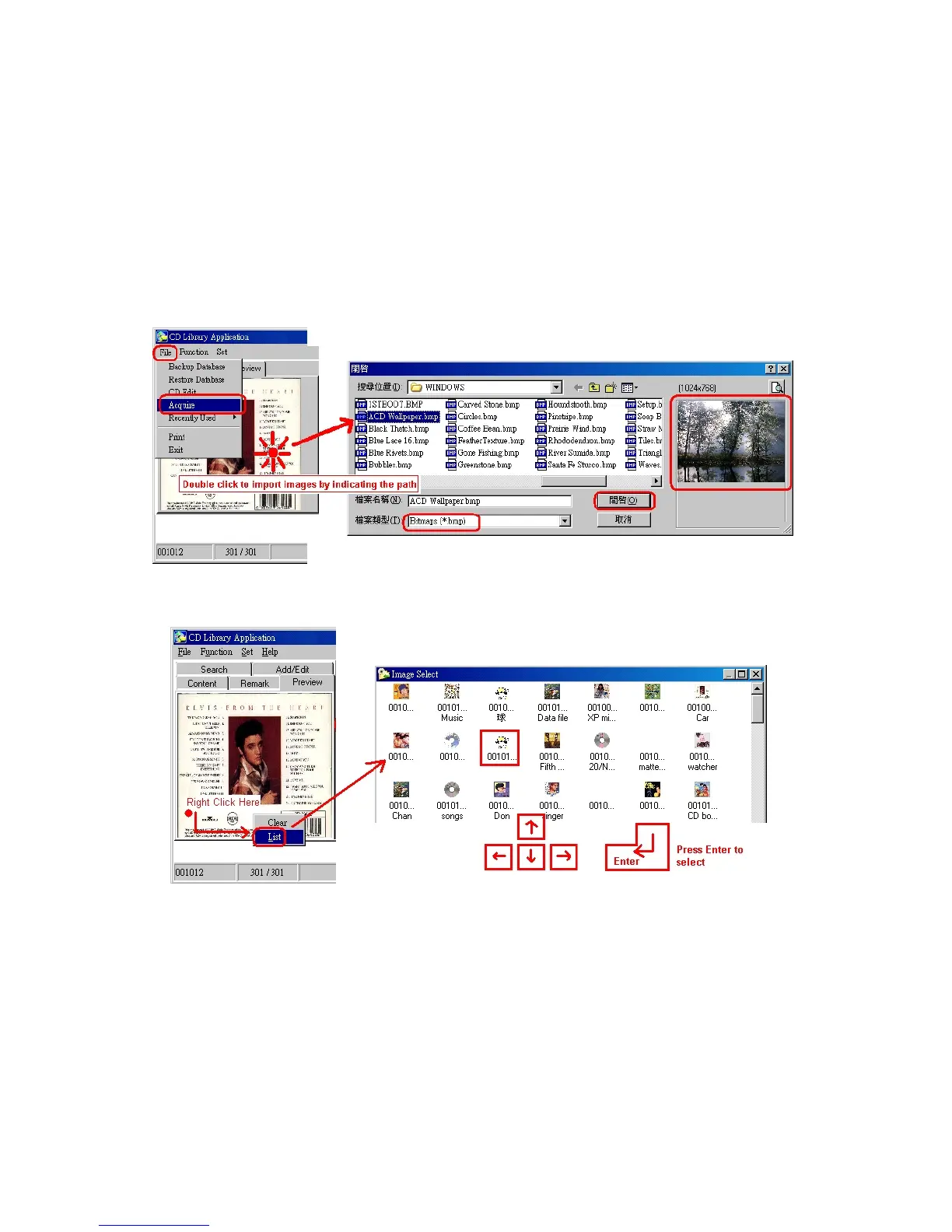
5. Preview
Step 1. Select the slot you want to input picture
Step 2. Press 「File」, then click 「Acquire」, it brings you scanner program,
of course you need to have scanner to input pictures.
Step 3. Right Click you can have other functions.
Double click on Preview to import x.bmp file into the software


 To Next Page