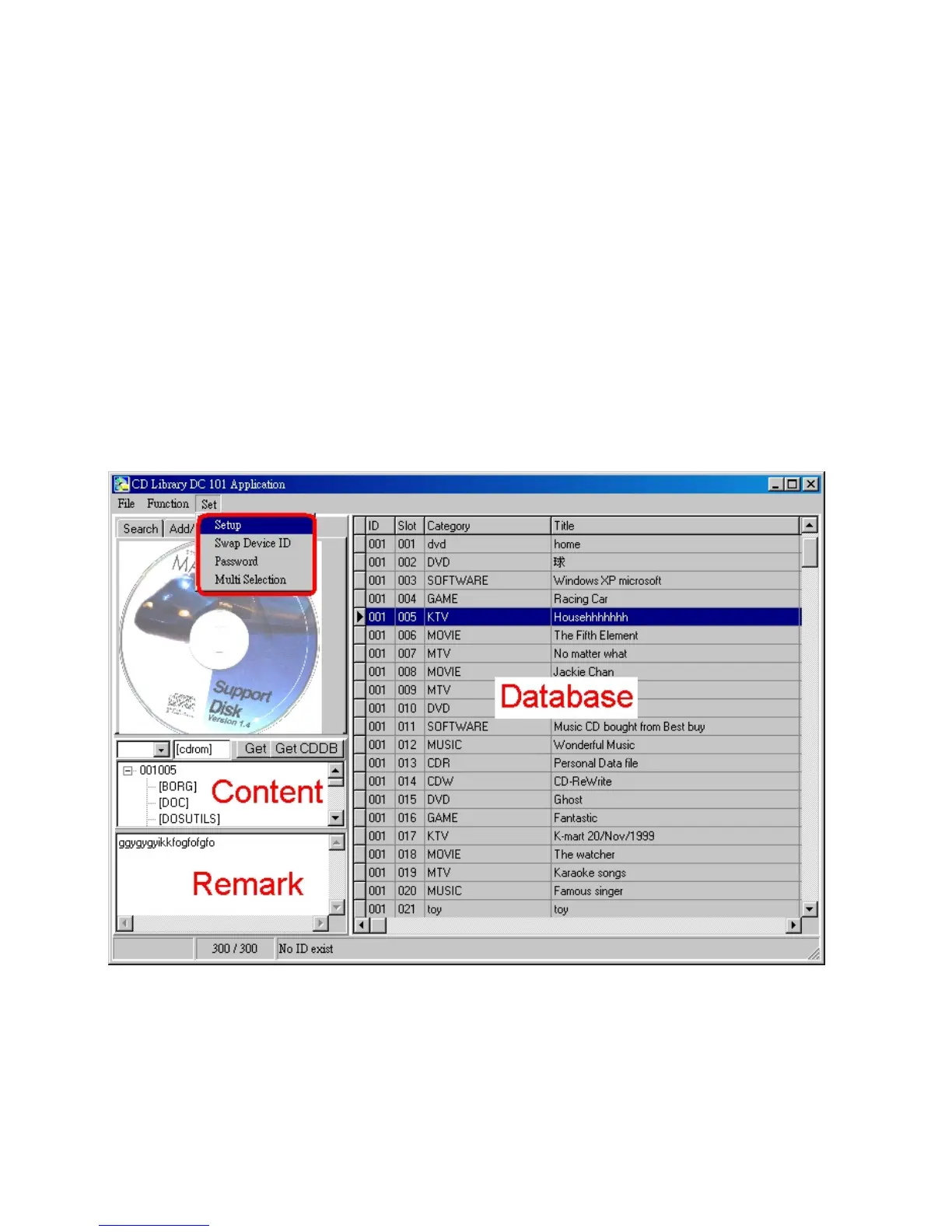
Power On
When the power is OFF, use the function to let LCD digital display on and
the CD Library machine will be ready to use.
Power Off
When the power is ON, use this function to let LCD digital display off, the
machine will lower the retrieving rack and shut down.
Reset
Shut down the machine and then reset it. If there is any abnormal
situation, select this function to resume to original atus.
3. Set


 To Next Page