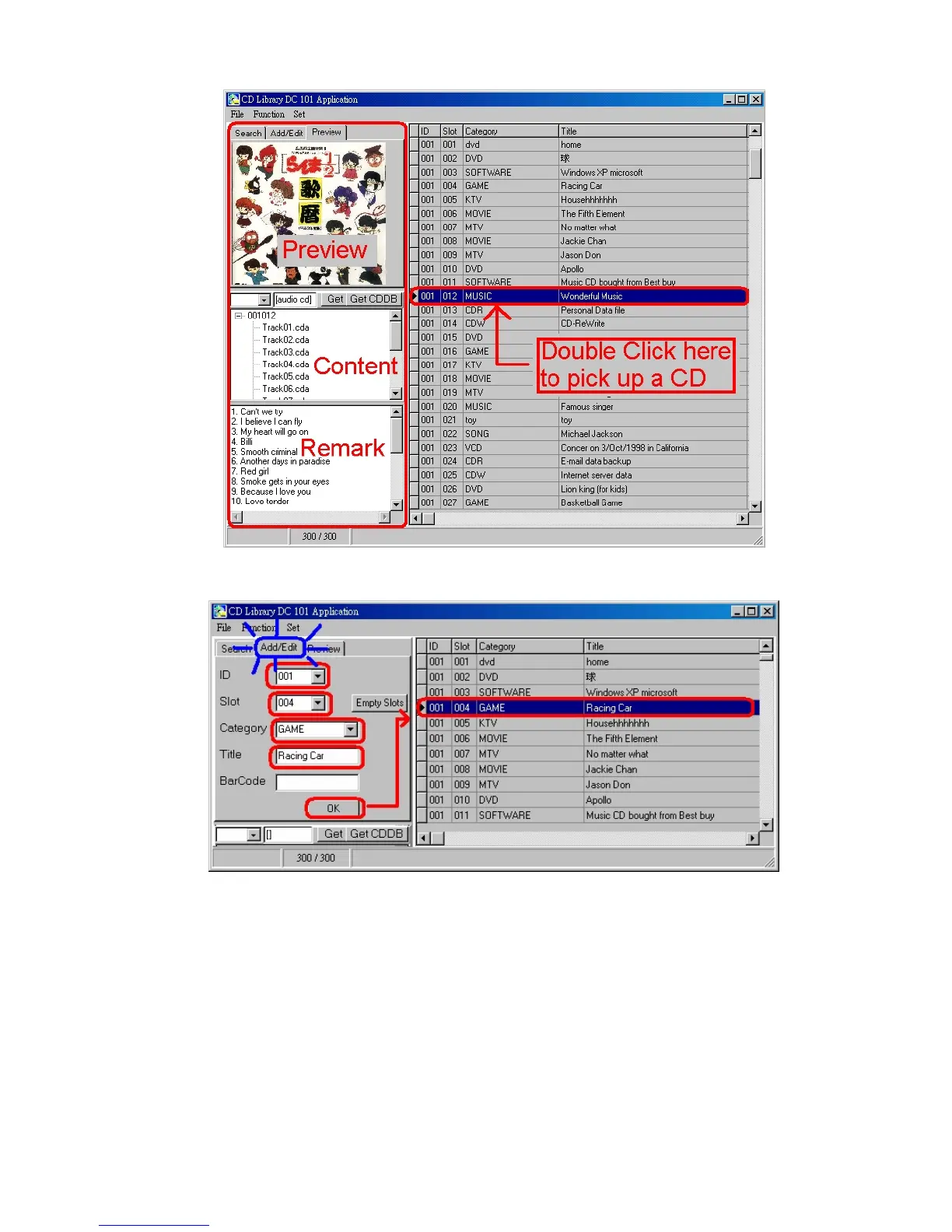
Panel
1. Add/Edit
Start the Add/Edit for the database form on the screen, and enter into
the form. After filling and confirming the information as needed in each
column, a new record of data is added or edited. You must input the
machine number and the slot position. You may pull down the Category
menu. The slot number runs from 1 to 150 only, and error message for
ejection will show if you input a number out of this range.


 To Next Page