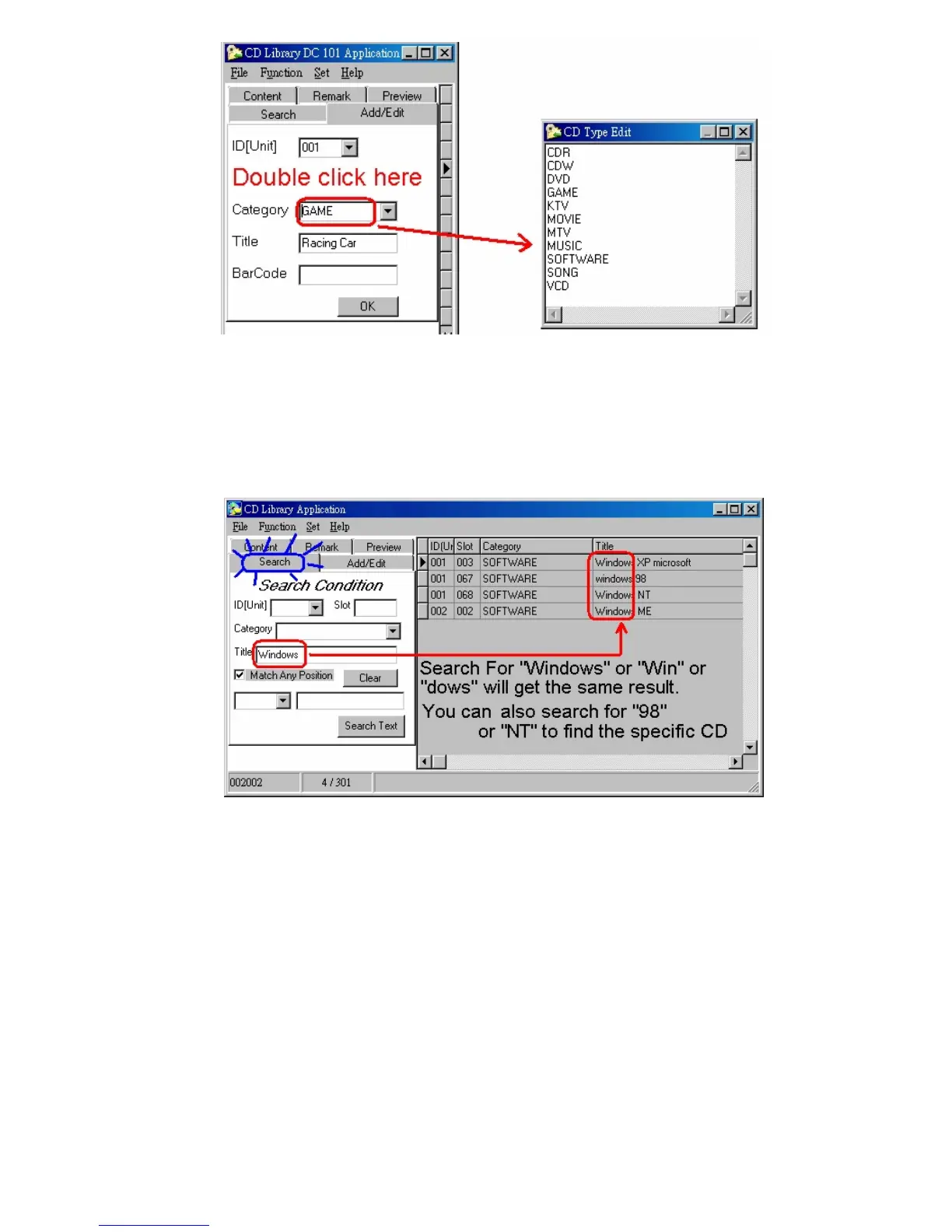
Double click Category, you can edit the CD’s category.
2. Search
1. To quickly search the page, fill in the condition in the column, the
database will find the data that fits the conditions. You may key in a
single condition of multiple of conditions for search. Click “Clear” to
return to the display of the database of all information in the disc and
provide a listing.
2. If 「Match Any Position」 is checked, the text with any part of the
string will show. If it is not checked, the text having the first same
alphabet will show.


 To Next Page