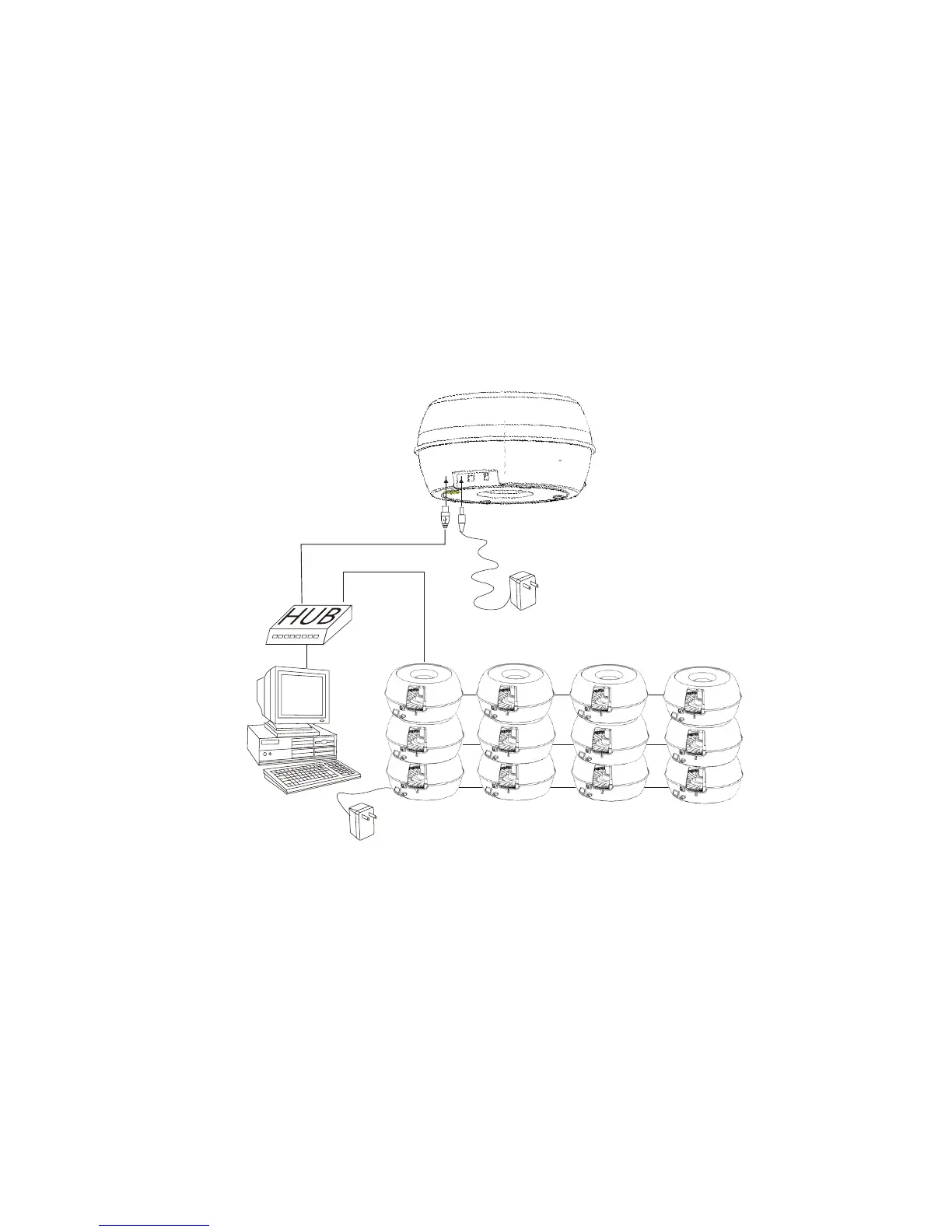
l Multiple Units Installation
l To complete the installation for multiple units, connect the
power cable and USB of each CD Library II the same way
as the installation for a single unit.
l For multiple unit installation, the ID is determined by the
sequence of the installation. Please arrange the
machines in sequence before their installation.
l Please see the following diagram to connect multiple
machines.
Note:
l If Windows O/S asks the drivers when you plug in USB cable,
do not select HD drive or CD-ROM drive, system will find the
drivers from Windows O/S driver database. The machine use
default drivers in O/S.
l Machines can be stacked to save space. However, the
maximum quantity is recommended not exceed 3 sets of CD
Library.


 To Next Page