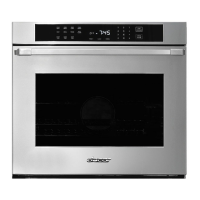
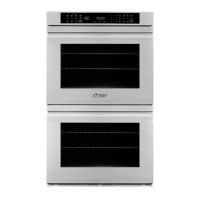
1
TO SET THE CLOCK:
• Press CLOCK on control panel.
• Press Up/Down arrows to reach correct time.
(Note: “A.M.” and “P.M.” will show while you are setting the clock but not when the time is displayed on the control panel.)
TO BAKE, PURE CONVECTION™ OR CONVECTION BAKE:
• Press desired cooking mode.
• Press Up arrow to set temperature (oven automatically defaults to 350˚F).
• Oven begins counting from 135˚F.
• When oven is finished preheating, it will beep and you may put food in the oven.
TO INCREASE/DECREASE OVEN TEMPERATURES:
• Press selected cooking mode.
• Press Up or Down arrows to reach desired new temperature.
TO BROIL OR CONVECTION BROIL (CONVECTION BROIL IS AVAILABLE IN THE LOWER DOUBLE OVEN ONLY):
• Press broil mode.
• Press Up arrow to set temperature (“HI” equals 555˚F).
• The electric broiler works best if you allow it to preheat about 10 minutes.
TO SET TIMERS:
• Press TIMER 1 or TIMER 2.
• Hold Up arrow to set desired time. It will count in seconds first, then scroll faster with more time.
• Release UP arrow, then oven will begin to count down.
• When time is up, the oven will beep.
• To stop the beep without shutting off the oven, press TIMER 1 or TIMER 2 once.
TO ADD MORE TIME ONTO THE TIMERS, OR CANCEL THE TIMER BEFORE THE TIME IS UP:
• Press appropriate TIMER 1 or TIMER 2 button.
• To add more time, press Up arrow to desired new time.
• To cancel timer before time is up, press appropriate timer button twice. “:00” will flash.
TO TURN THE OVEN OFF:
• Press CANCEL/SECURE (. (Note: This will not turn off the oven lights or the timers.)
TO LOCK THE CONTROL PANEL:
• Press and hold CANCEL/SECURE for 6 seconds. You will hear one beep when activated and OFF will read on the control panel.
• This feature is best used when cleaning the control panel, or preventing the oven from accidentally turning on.
TO UNLOCK THE CONTROL PANEL:
• Press and hold CANCEL/SECURE for 6 seconds. You will hear one beep and OFF will disappear from the control panel.
TO SET TIMED DELAY COOKING:
• Make sure that the correct time of day is set (A.M. or P.M.).
• Adjust rack positions and set food into oven.
• Press cooking mode.
• Press Up or Down arrows to set temperature.
• Press COOK TIME. This refers to the duration of the cooking cycle not the start time.
• Press STOP TIME. This is when you want the food to be DONE. (Important: You must press STOP TIME for the oven to automatically
calculate the START TIME.)
• The convection fan and the cooling fan will go on after programming this feature, even if it does not start right away.
TO SELF-CLEAN OVEN:
• Remove all oven racks and filter from the oven.
• Press SELF-CLEAN.
• Press Up arrow to set desired amount of time. from 2-4 hours.
• Door will lock. After it unlatches and cools, wipe up ash with hot, soapy water.
Quick Reference Guide for Wall Ovens
Q



 To Next Page