Quick Start Guide
4
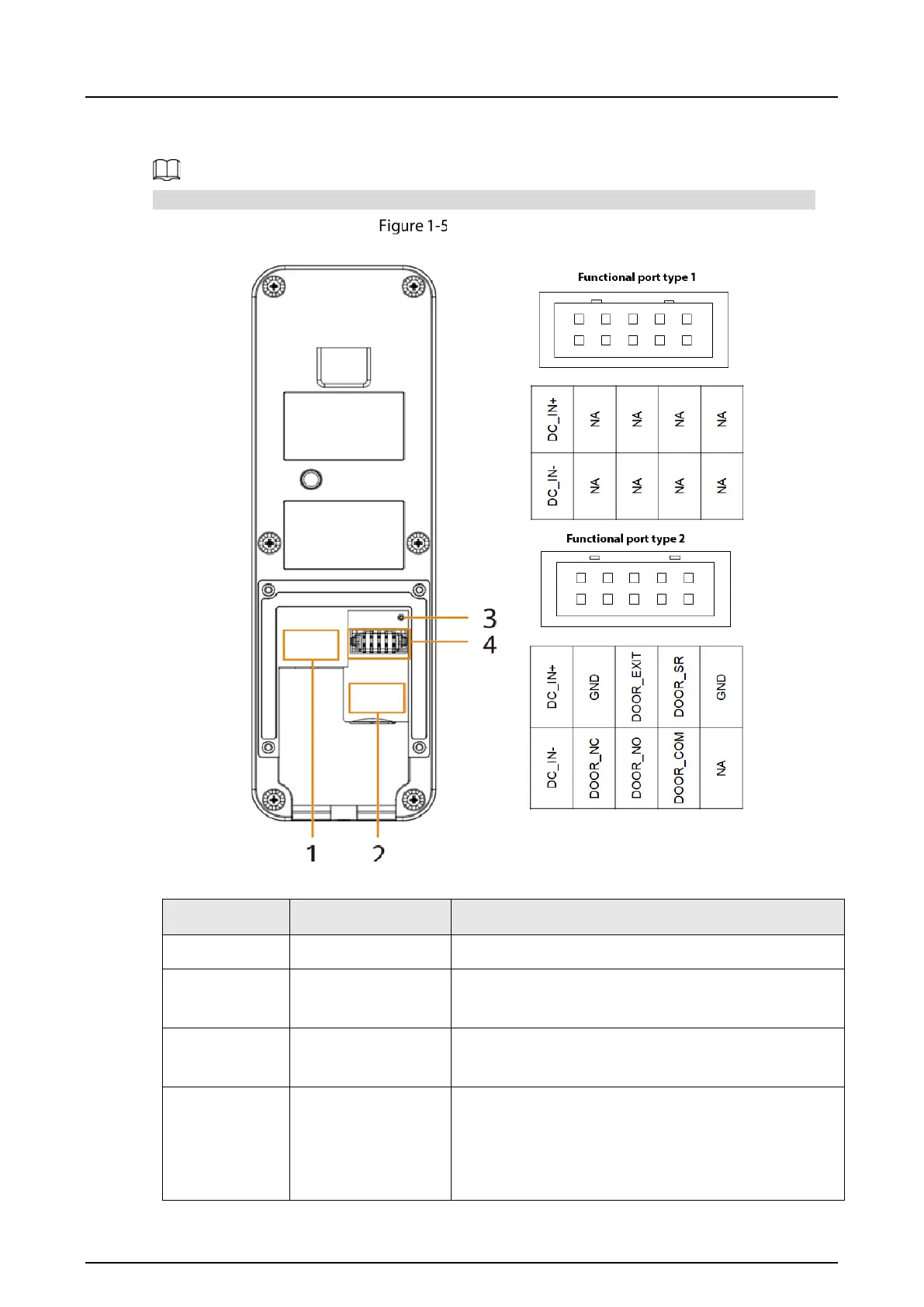
1.2.2 Rear Panel
The function ports might differ depending on the model. Here are two models used as examples.
Rear panel (1)
=
Table 1-4 Components
No. Name Function
1 Network port Used to connect to the network.
2 SD card slot
Used to insert SD card so that data information such as
images and videos can be stored.
3 Reset button
Press and hold the button for several seconds to do
factory reset.
4 Functional port
Type 1: The functional port only has a power input
port to connect to power supply.
Type2: The functional port includes a power input
port and a door detector port.



 To Next Page
 Loading...