Quick reference
21
BRC1E51
Remote controller
4PW52905-1
9. Limit operation
1 Display the MainMenu. Proceed step (9) to
display the basic screen with limit operation
temperatures (Refer to the chapter “Main menu
structure” on page 19).
2 Use the buttons to change the set
temperature.
3 Push the buttons to toggle between min
and max temperature.
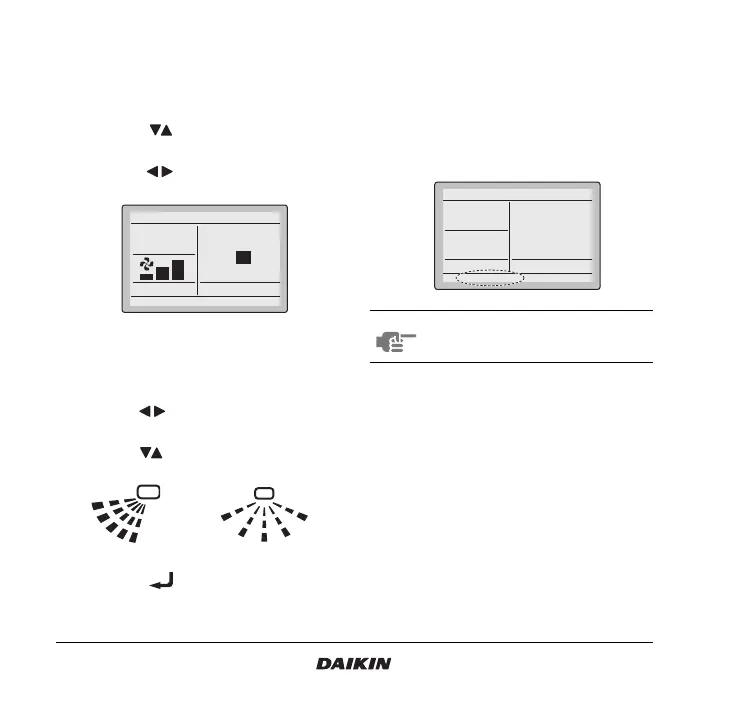
10.Airflow direction setting
1 Display the Airflow Direction setting screen (10)
(Refer to the chapter “Main menu structure” on
page 19).
2 Use the buttons to change the setting to
90 or 180 degrees swing angle.
3 Use the buttons to change the setting to
Swing, Pos. 0, Pos. 1, Pos. 2, Pos. 3, and Pos. 4.
4 Push the button to confirm the setting.
Basic screen is displayed.
11.Quick cooling/heating ON/OFF
(SkyAir only)
1 Display the MainMenu and proceed step (11) to
display the basic screen (Refer to the chapter
“Main menu structure” on page 19).
2 Quick Cool/Heat will appear on the basic screen
when the Quick Cool/Heat function is turned
ON.
12.Ventilation setting
Only in case HRV is connected. Refer to the HRV
manuals for more information.
12.1 How to change the ventilation rate
1 Display the Ventilation rate settings screen (12.1)
(Refer to the chapter “Main menu structure” on
page 19).
Fan
ReturnPress the menu button
Set temperature
max
20
°C
min
28
°C
1
2
3
4
0
NOTE Redo this procedure to turn Quick Cool/
Heat function off.
Set temperature
28°C
Cool
Quick Cool/Heat



 To Next Page