Quick reference
25
BRC1E51
Remote controller
4PW52905-1
14.Service contact/model information
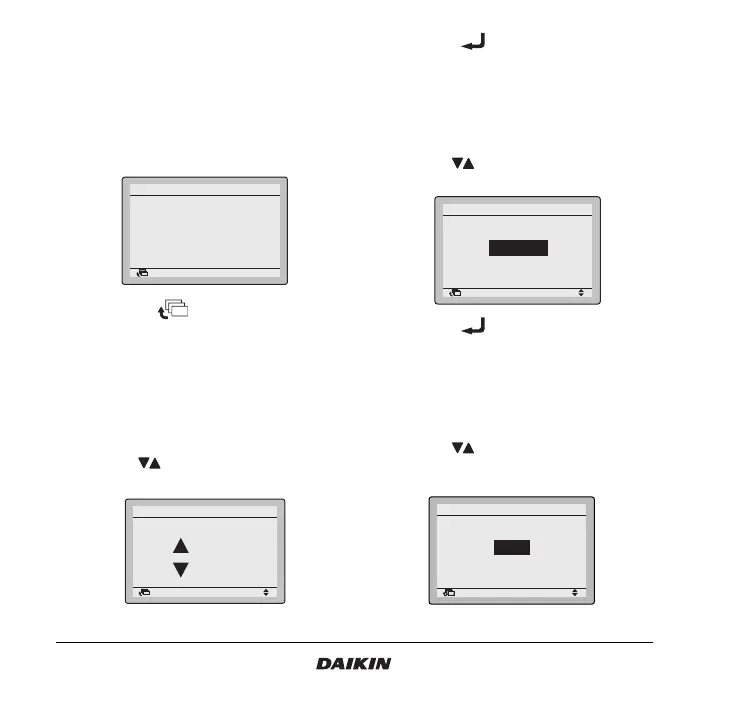
1 Display the Service Contact/Model Info screen (14)
(Refer to the chapter “Main menu structure” on
page 19).
2 The phone number for the Contact address will
appear at the top of the screen. The model info
of the Indoor unit and Outdoor unit of your product
will appear on the bottom of the screen.
3 Push the button to return to the
MainMenu.
15.Convenient functions
15.1 How to adjust the contrast of the LCD
1 Display the Contrast adjustment settings screen
(15.1) (Refer to the chapter “Main menu
structure” on page 19).
2 Use the buttons to change the contrast of
the LCD.
3 Push the button to confirm the setting.
Basic screen is displayed.
15.2 How to select the display
1 Display the Display settings screen (15.2) (Refer
to the chapter “Main menu structure” on
page 19).
2 Use the buttons to change the setting to
Standard or Details.
3 Push the button to confirm the setting.
Basic screen is displayed.
15.3 How to select the detailed display selection
1 Display the Desired disp select settings screen
(15.3) (Refer to the chapter “Main menu
structure” on page 19).
2 Use the buttons to change the setting to
None, Outdoor temperature, Room temperature or
System.
Return Setting
Service Contact/Model Info
Contact address
0123
–
456
–
7890
Indoor unit
–––
/000
Outdoor unit
–––
/000
Return Setting
Adjusts contrast
Dark
Light
Contrast adjustment
Return Setting
Display
Display changeover
Standard
Return Setting
Desired disp select
Display changeover
None



 To Next Page