BRC1E51
Remote controller
4PW52905-1
Quick reference
24
10 Push the button to display the
confirmation screen.
11 Use the buttons to select Ye s and push
the button.
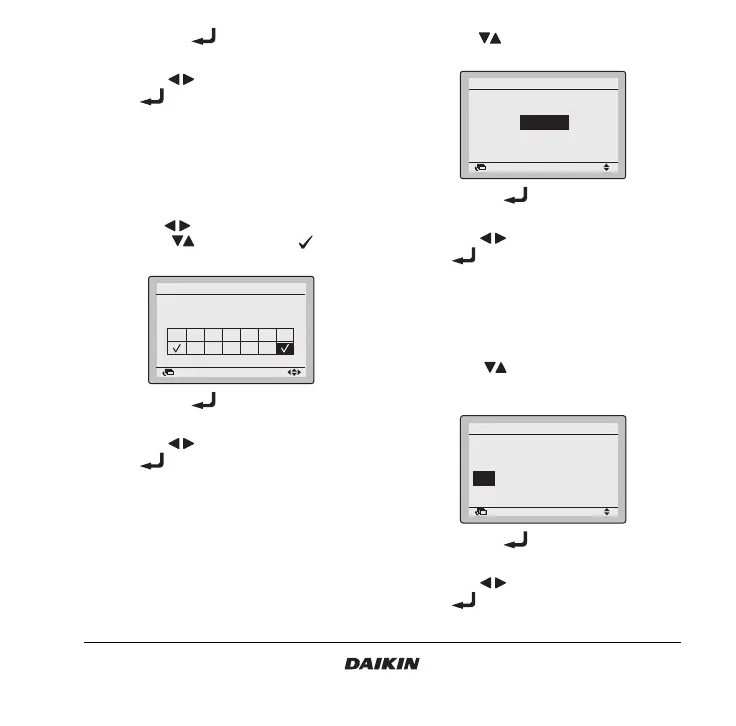
13.3 How to use the holiday setting
The schedule timer will be disabled for the days that
have been set as holiday.
1 Display the Holiday setting screen (13.3) (Refer to
the chapter “Main menu structure” on page 19).
2 Use the buttons to select the desired day.
Push the buttons to display to set the
holiday.
3 Push the button to display the
confirmation screen.
4 Use the buttons to select Ye s and push
the button.
13.4 How to enable/disable the OFF reminder
timer
1 Display the Enable/Disable setting screen (13.4)
(Refer to the chapter “Main menu structure” on
page 19).
2 Use the buttons to change the setting to
Enable or Disable.
3 Push the button to display the
confirmation screen.
4 Use the buttons to select Yes and push
the button.
13.5 How to use the condition setting
5 Display the Condition setting screen (13.5)
(Refer to the chapter “Main menu structure” on
page 19).
6 Use the buttons to set the time from
operation start until the unit automatically
stops.
7 Push the button to display the
confirmation screen.
8 Use the buttons to select Yes and push
the button.
Return Setting
Schedule timer
Holiday setting
Multi selection possible
Sun Mon Tue Wed Thu Fri Sat
Return Setting
Enable/ Disable setting
Off reminder Timer
Disable
Return Setting
Each time after pressing
the operation button,
automatically stops after
60
minutes.
Off reminder Timer



 To Next Page