BRC1E51
Remote controller
4PW52905-1
Quick reference
22
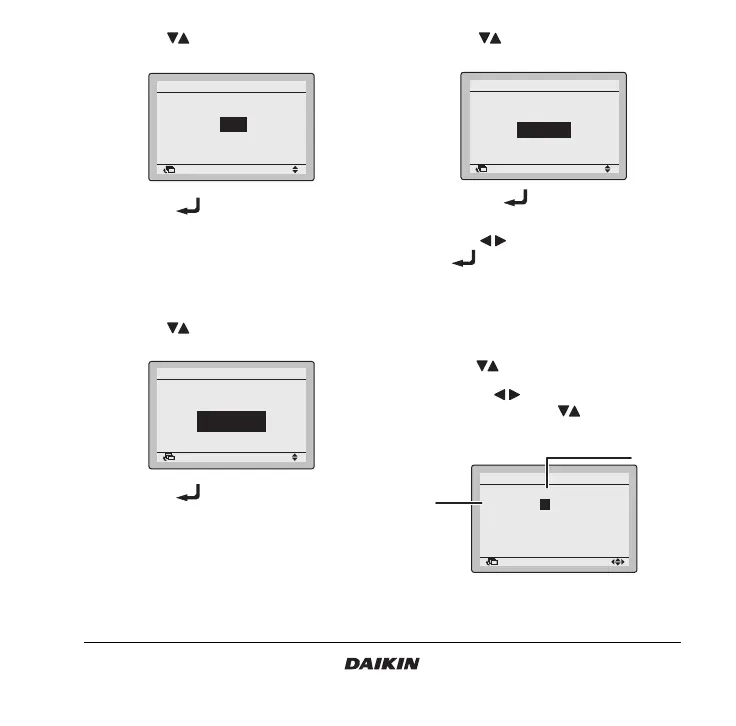
2 Use the buttons to change the setting to
Low or High.
3 Push the button to confirm the setting.
Basic screen is displayed.
12.2 How to change the ventilation mode
1 Display the Ventilation mode settings screen
(12.2) (Refer to the chapter “Main menu
structure” on page 19).
2 Use the buttons to change the setting to
Bypass, Heat exchange, or Automatic.
3 Push the button to confirm the setting.
Basic screen is displayed.
13. Timer setting
13.1 How to enable/disable the schedule timer
1 Display the Enable/Disable setting screen (13.1)
(Refer to the chapter “Main menu structure” on
page 19).
2 Use the buttons to change the setting to
Enable or Disable.
3 Push the button to display the
confirmation screen.
4 Use the buttons to select Yes and push
the button.
13.2 How to use the condition setting
1 Display the Condition setting screen (13.2)
(Refer to the chapter “Main menu structure” on
page 19).
2 Use the buttons to set the day (1).
3 Use the buttons to highlight the
Operation Time and the buttons to set the
desired Operation Time (2).
Return Setting
High
Ventilation
Ventilation rate
Return Setting
Ventilation
Ventilation mode
2/2
Bypass
Return Setting
Enable/Disable setting
Schedule timer
Disable
Return Setting
Monday
Schedule timer
Time Operation
06
:
00
–
––:–– –
––:–– –
––:–– –
––:–– –
(1)
(2)



 To Next Page