BRC1E51
Remote controller
4PW52905-1
Quick reference
26
3 Push the button to confirm the setting.
Basic screen is displayed.
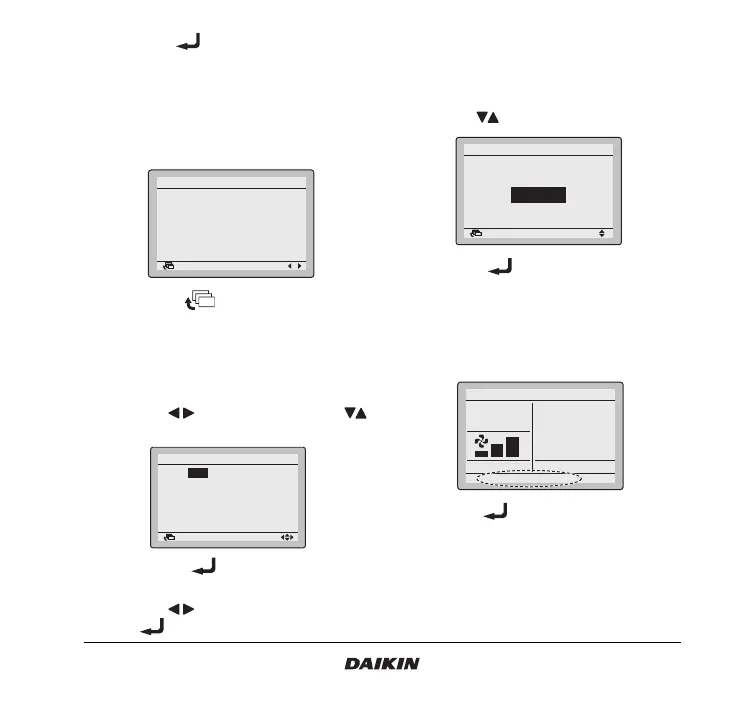
16. Setting status list
1 Display the Setting status list screen (16) (Refer to
the chapter “Main menu structure” on page 19).
2 A list of the current setting status is displayed.
3 Push the button to return to the
MainMenu.
17.Clock setting
1 Display the Clock setting screen (17) (Refer to the
chapter “Main menu structure” on page 19).
2 Use the buttons to select and the
buttons to set Year, Month, Day, and time.
3 Push the button to display the
confirmation screen.
4 Use the buttons to select Ye s and push
the button.
18. Language changeover
1 Display the Language changeover screen (18)
(Refer to the chapter “Main menu structure” on
page 19).
2 Use the buttons to select the language.
3 Push the button to confirm the setting.
Basic screen is displayed.
19.Error code display
1 If an error occurs, Error: Press Menu Button or
Warning: Press Menu Button will blink in the basic
screen.
2 Push the button. The error code will blink
and the Contact address and model info will be
displayed.
Return Setting
Setting status list 1/2
Airflow Direction Swing
Ventilation rate Low
Ventilation mode Auto
Schedule timer Disable
Off reminder Timer Disable
Display changeover Standard
Return Setting
Clock setting
Year 2008
Month 01
Day 01
Tuesday
00:00
Return Setting
Selectable languages
Language changeover
English
Set temperature
28°C
Cool
Error : Press Menu Button



 To Next Page