Quick reference
27
BRC1E51
Remote controller
4PW52905-1
MAINTENANCE
Contents page
1. Safety Precautions..............................................27
2. Filter sign resetting..............................................27
1. Safety Precautions
Wipe the LCD and other surface parts of the remote
controller with a dry cloth when they become dirty.
If the dirt on the surface can not be removed, soak the
cloth in neutral detergent diluted with water, squeeze
the cloth tightly, and clean the surface. Wipe the
surface with a dry cloth then.
2. Filter sign resetting
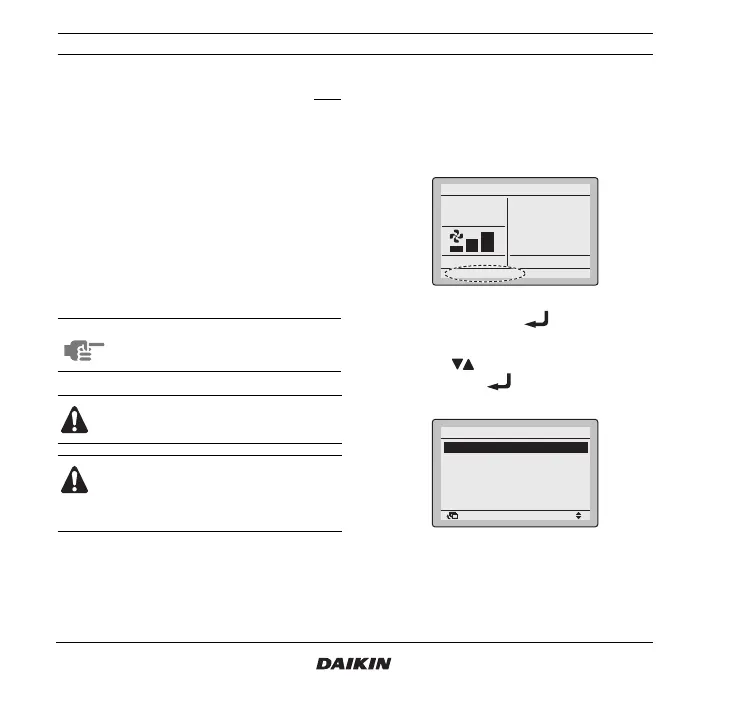
1 When one of the following messages (Clean the
filter, Clean the filter and element, or Clean the element)
appears on the bottom of the basic screen, the
filter has to be cleaned.
2 After the filter or element is washed, cleaned,
or replaced, push the button to enter the
MainMenu.
3 Use the buttons to select Filter Sign Reset
and push the button to reset the filter
sign.
NOTE Do not use any paint thinner, organic
solvent, or strong acid.
Do not wash the remote controller. Doing so
may cause electric leakage and result in
electric shocks or fire.
Be sure to stop the operation of the air
conditioner and turn off the power supply
breaker at the time of maintenance. Failure
to do so may result in electric shocks or
injury.
Set temperature
28°C
Cool
Clean the filter
Return Setting
MainMenu
Filter Sign Reset
Set temp mode changeover
Airflow Direction
Quick Cool/Heat On/Off
Ventilation
Timer setting
1/2



 To Next Page