Quick reference
23
BRC1E51
Remote controller
4PW52905-1
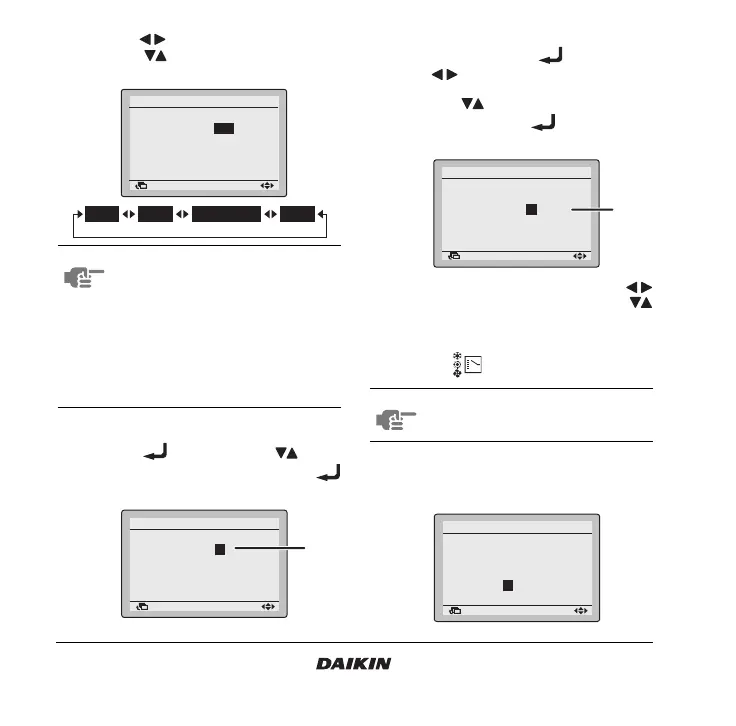
4 Use the buttons to highlight the Operation
and the buttons to select the desired
Operation.
5 When the selected operation is a set point (1),
push the button and use the buttons
to change the set temperature. Push the
button to confirm the set temperature.
6 When the selected operation is a limit
operation (2), push the button and use
the buttons to toggle between the
minimum and maximum temperature to be set.
Use the buttons to change the set
temperature. Push the button to confirm
the set temperature.
7 To set a different day of the week, use the
buttons to highlight the day. Use the
buttons to change the day.
8 To copy all actions of the day previously set,
push the button.
9 When the entire schedule timer settings are
completed, highlight an item that is not an
operation.
NOTE There are 4 types of operations:
1. Switch on the installation at a
scheduled time, in combination with
a set point.
2. Switch on the installation at a
scheduled time, in limit operation.
3. Switch off the installation at a
scheduled time.
4. In this case the status remains
unchanged.
Return Setting
Monday
Schedule timer
Time Operation
06
:
00 22°C
––:–– –
––:–– –
––:–– –
––:–– –
Return Setting
Monday
Schedule timer
Time Operation
06
:
00 22°C
––:–– –
––:–– –
––:–– –
––:–– –
(1)
NOTE Actions will only be copied when the day
is highlighted.
Return Setting
Monday
Schedule timer
Time Operation
06
:
00 28°C
12
:
30 20°C
–
26°C
––:–– –
––:–– –
––:–– –
(2)
Return Setting
Monday
Schedule timer
Time Operation
06
:
00 28°C
12
:
30 22°C
–
28°C
15
:
00 OFF
––:–– –
––:–– –



 To Next Page