EasyManua.ls Logo

Daikin DZK030E4-3 - User Manual

Daikin DZK030E4-3
56 pages
Print Icon
To Next Page IconTo Next Page
Loading...
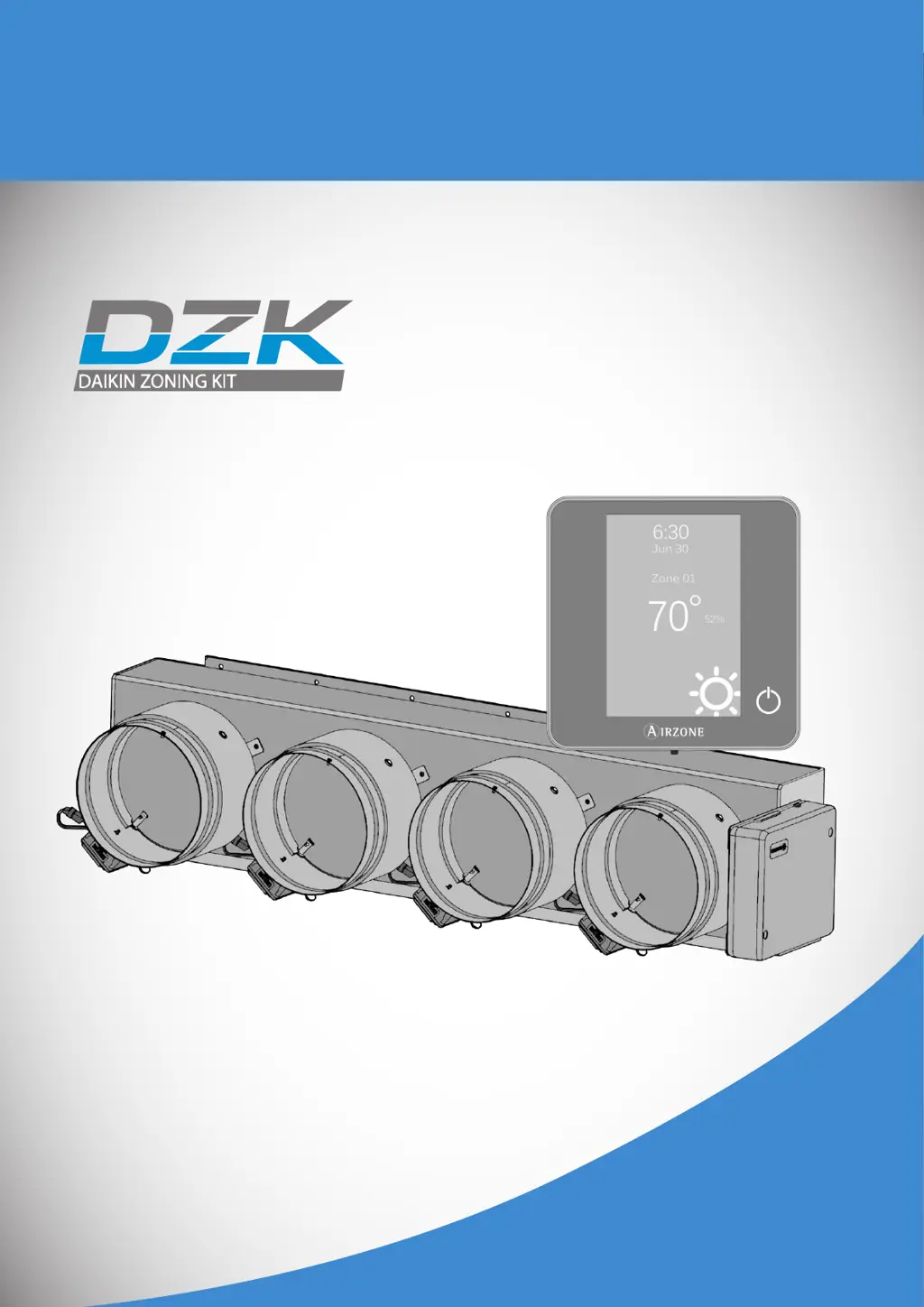
Installation Manual
Zoning Kit

Table of Contents

Questions and Answers

  • P
    Patricia BrownAug 21, 2025
    What to do if my Daikin DZK030E4-3 Air Conditioner Accessories wired thermostat does not light up?
    • S
      scott76Aug 22, 2025
      If your Daikin Air Conditioner Accessories wired thermostat isn't lighting up, first, check the cable connection between the wired thermostat and the DZK Control Board, ensuring you're not using solid wire. Also, verify the voltage between the poles (A/-) and (B/-) is correct (1.8 Vdc). Note that the zone controlled from the Wired Thermostat cannot be remotely accessed, and after 45 minutes, its dampers will open and remain open until the problem is fixed. If the thermostat is replaced, only perform the initial configuration, as all other parameters and settings will be recovered automatically from the Control Board.
  • S
    stephen20Sep 4, 2025
    What does Error 8 mean on my Daikin DZK030E4-3 wired thermostat?
    • R
      russelljillSep 4, 2025
      Error 8 on your Daikin Air Conditioner Accessories wired thermostat indicates that the Wireless Lite Thermostat was not found. Check which Wireless Lite Thermostat is not working properly. Verify the thermostat microswitch corresponds with the zone associated. If not, activate it using the tab with the value needed. Ensure the power supply is adequate by checking the battery and replacing it if necessary.
  • M
    maria55Sep 2, 2025
    What does Error 1 mean on my Daikin DZK030E4-3 wireless thermostat?
    • E
      Eric CortezSep 3, 2025
      Error 1 on your Daikin Air Conditioner Accessories wireless thermostat indicates a communication error with the DZK Control Board 1B. To resolve this, check the signal range of the thermostat by moving it closer to the DZK Control Board. If communications are reestablished, consider relocating the thermostat permanently. Also, ensure the DZK Control Board is correctly powered and that the LED of wireless communication is operating properly.
  • D
    Denise GreenSep 1, 2025
    What does Error 1 mean on my Daikin DZK030E4-3 Air Conditioner Accessories wired thermostat?
    • T
      Trevor CruzSep 1, 2025
      Error 1 on your Daikin Air Conditioner Accessories wired thermostat indicates a communication error with the DZK Control Board 0B. To troubleshoot, check that this error isn't common to all thermostats. If it is, verify the proper operation of the DZK Control Board, ensuring it's correctly powered and that the expansion bus LEDs are operating properly. Also, verify the polarity of the DZK Control Board and thermostat connectors and check that the voltage between the poles (A/ -) and (B/ -) is correct (1.8 Vdc). Try pressing Reset to restart the device, and if the error persists, press and hold to reset the thermostat. Note that this error may be displayed at the beginning of the process and should disappear after around 30 seconds.
  • J
    Jeffrey MeyersAug 30, 2025
    Why does my Daikin DZK030E4-3 unit return to heat mode?
    • S
      Samantha SmithAug 30, 2025
      If your Daikin Air Conditioner Accessories thermostat returns to Heat mode when trying to switch to Cool mode, it's likely that the operation mode in the installation is controlled by the Daikin master indoor unit. The operation mode can only be changed from the DZK Main Wired thermostat connected to the Daikin master indoor unit.
  • C
    Christina PopeAug 29, 2025
    Why is my Daikin DZK030E4-3 damper-modulating functionality not working?
    • C
      Charles JohnsonAug 29, 2025
      If the damper-modulating functionality is not working as expected on your Daikin Air Conditioner Accessories, verify that the damper REG level is located as configured in the Type of opening parameter.
  • D
    davidpattonAug 27, 2025
    What to do if one or more Daikin Air Conditioner Accessories zones do not control the temperature?
    • M
      mark17Aug 28, 2025
      If one or more zones do not control the temperature on your Daikin Air Conditioner Accessories, verify that the User mode is not set to Stop. Check the room and set point temperatures in the non-working zone thermostat to see if it is creating demand. Ensure that the damper actuator is connected properly. Also, verify that the LEDs D5 and D6 located in the DZK Interface Board mounted over the Control Board are blinking; if not, check the wiring between the DZK Interface Board and the Indoor Unit.
  • P
    peter11Aug 27, 2025
    What to do if my Daikin DZK030E4-3 Air Conditioner Accessories unit does not start in any mode?
    • D
      Diane McbrideAug 27, 2025
      If your Daikin Air Conditioner Accessories unit doesn't start even when everything seems okay, and the Wired Thermostat shows 'User mode STOP', verify that there is a jumper between the contacts of the Alarm connector.
  • C
    Caleb KempAug 25, 2025
    What to do if Daikin Air Conditioner Accessories unit starts when set to off?
    • L
      Leah LoweAug 26, 2025
      If your Daikin Air Conditioner Accessories indoor unit starts even when the system is set to off (either off or user mode on Stop), verify that the Setback field setting on the Daikin indoor unit is disabled.
  • P
    pettymariaAug 23, 2025
    What to do if my Daikin Air Conditioner Accessories wireless thermostat does not light up?
    • C
      Chad AndersonAug 23, 2025
      If your Daikin Air Conditioner Accessories wireless thermostat isn't lighting up, the first thing you should do is check the battery and replace it if necessary.

Summary

System Parameters and Commissioning

Initial System Setup

Power-up, communication verification, and zone assignment.

DZK Control Components

Installation Recommendations

General Installation Guidelines

Key guidelines for safe and proper installation practices.

DZK Zoning Box

Damper Settings

Connection Procedures

DZK Interface Board Configuration

DZK BACnet Interface

BACnet Configuration

Initial Configuration

Advanced Configuration - Wired

Auxiliary Heat Configuration

Zone Parameters

Commissioning Steps - Power On

Thermostat Verification

Verifying initial thermostat configuration screens.

Control Board LED Status

Checking LED indicators on the DZK Control Board for diagnostics.

Component LED Status

Interface Board & BACnet LEDs

Verifying LED status on interface and BACnet boards.

Indoor Unit Communications

Zone & Airflow Control

Zone Assignment Verification

Activating zones and verifying airflow.

Other Configuration Parameters

Auxiliary Heat Verification

Checking auxiliary heat installation and operation.

Exception Codes & Errors

Warnings and Errors Overview

Display of warnings and error codes on the screensaver.

Specific Error Codes

List of common communication and sensor errors.

Auto Diagnostics - Control Board

Auto Diagnostics - Interface Board

Auto Diagnostics - BACnet Interface

Troubleshooting - Wired & Wireless

Error 1: Communication Error

Diagnosing and resolving communication errors with the DZK Control Board.

Troubleshooting - Specific Errors

Error 5, 6, 8: Sensor;Device Issues

Resolving sensor errors and wireless lite thermostat not found issues.

Troubleshooting - Communication Failures

Error 9: Interface Board Failure

Diagnosing communication loss between interface and control boards.

Error 10: BACnet Interface Failure

Diagnosing communication loss with the BACnet interface.

Troubleshooting - System Errors

Error 11: AC Unit Communication

Resolving communication errors between interface board and AC unit.

Wireless Lite - Status LED Errors

Addressing status LED errors for wireless lite thermostats.

Troubleshooting - System Incidences

Thermostat Not Lighting Up

Troubleshooting wired/wireless thermostats that do not power on.

Troubleshooting - Zone Control Issues

Zone Not Accessible; No Airflow

Resolving issues where zones are inaccessible or have no airflow.

Temperature Control Failure

Diagnosing issues with zones not controlling temperature.

Troubleshooting - Functional Issues

Damper & Mode Functionality

Addressing problems with damper modulation and mode switching.

BACnet & System Start Issues

Resolving BACnet detection and system start-up problems.

Wiring Diagram

System Connections Overview

Visual representation of all system electrical connections.

Daikin DZK030E4-3 Specifications

General IconGeneral
Voltage24V
ModelDZK030E4-3
CategoryAir Conditioner Accessories
BrandDaikin
CompatibilityDaikin Air Conditioners

Related product manuals