Caution
Be sure to turn off power switch before connect or disconnect connector,
or parts damage may be occurred.
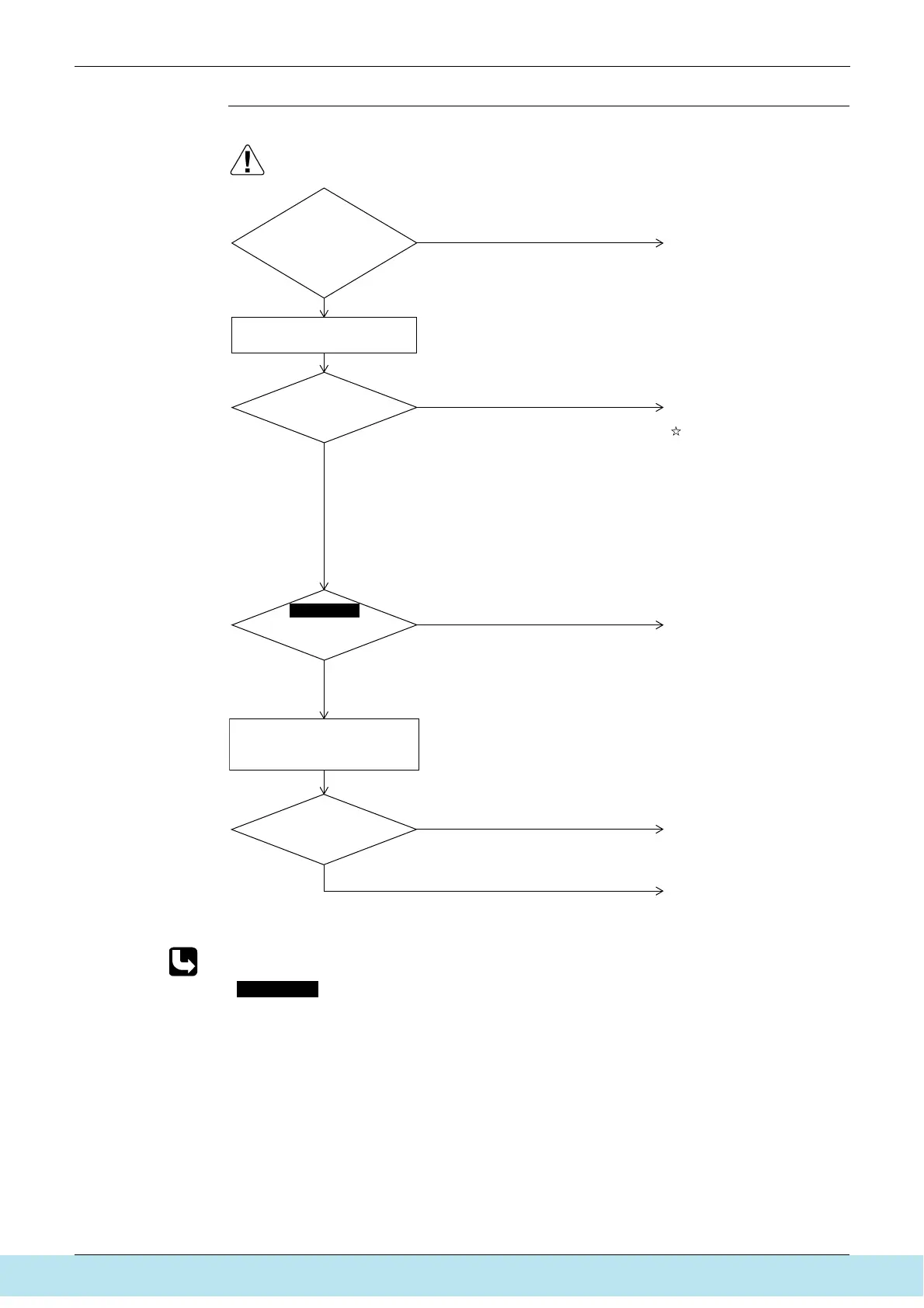
Have the
power supply voltages
between L1 and L2, L2 and L3,
and L1 and L3 fallen within the range of
380 to 415V±10% (50 Hz) and between L
and N within the range of 220 to
240V±10% (50 Hz)?
Is the power
transistor faulty?
YES
NO
YES
NO
YES
Replace the inverter PC board
(A1P).
Monitor the voltage
(Instantaneous voltage drop)
YES
NO
When the compressor is running,
measure the voltage between
+ and - of electrolytic capacitor
(C+, C-).
Check No.3
Is the resistance
above standard
value?
Is the measured voltage
220 VDC or more?
(S2605)
Replace the fan motor
NO
∗
Check the inverter power
transistor. ∗1
Replace the inverter PC board
assy (A2P).
Check for the PC board
conditions.
In case of significant failure,
the PC board may have got
faulty due to faulty
compressor. Consequently,
even if the PC board is
replaced, it may get faulty
again. To avoid that, recheck
the compressor for
grounding and for any
broken wires. Furthermore,
even after replacing the PC
board, carry out inspections
on the compressor.
Correct the power supply
voltages.
If L2 or Phase N is open,
replace the switch box.



 To Next Page