Field Setting ESIE09-05
100 Test Operation
3.2 Field Setting from Outdoor Unit
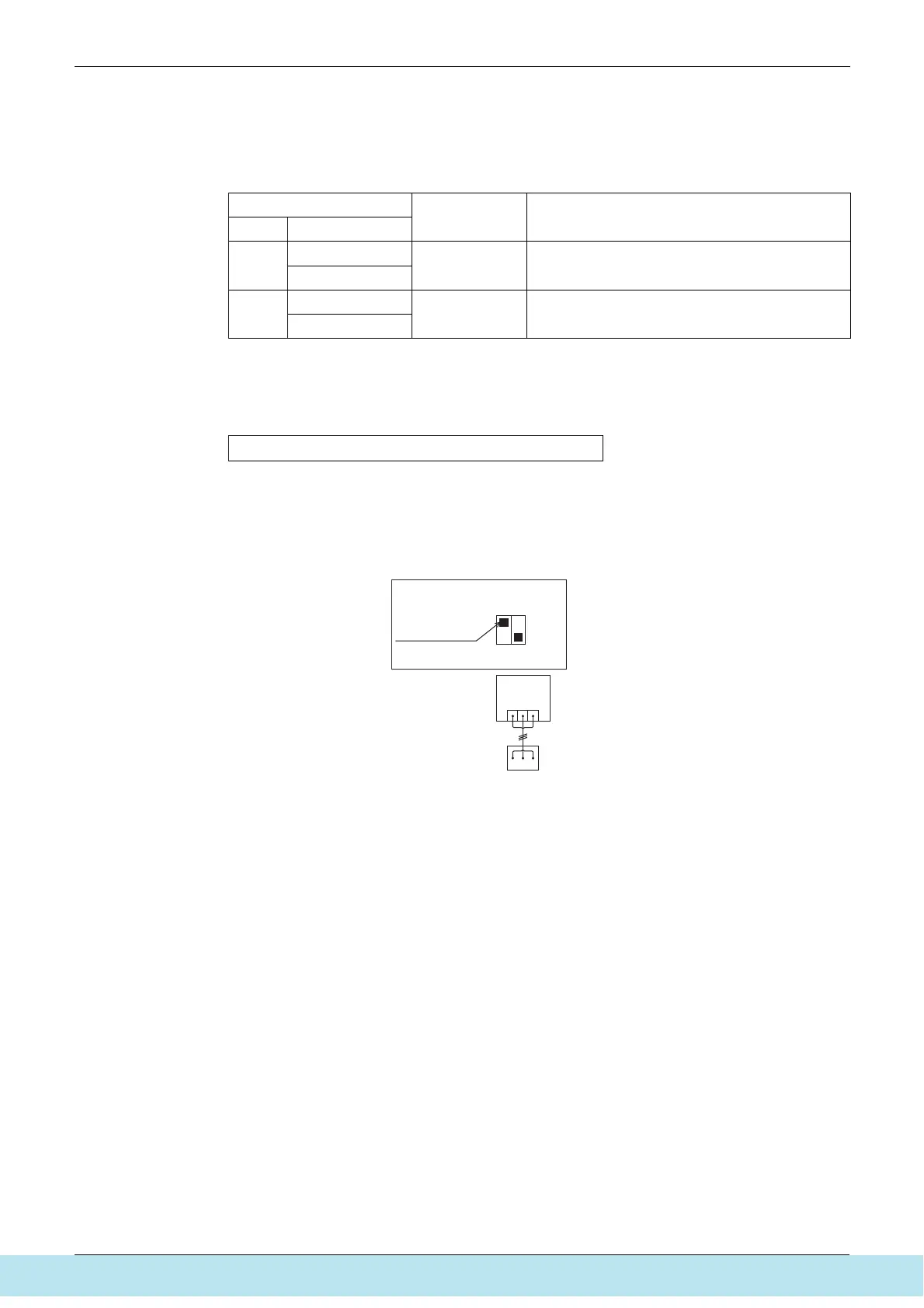
3.2.1 Setting by Dip Switches
The following field settings are made by dip switches on PC board.
D-box: cool/heat selection by remote controller
F-box: no remote controller
-> cool/heat selection through ABC-contact
• Set the remote controller only when changing over the operation mode between cooling and
heating using the remote controller installed in the outdoor.
c Connect the cool/heat selector (optional accessory) to the terminals (A, B and C) on the
outdoor X2M Terminal board (A, B and C).
d Set the cool/heat selector switch DS1-1 from “OFF” (which is selected at the factory before
shipment) to “ON”.
Dipswitch
Setting item Description
No. Setting
DS1-1
ON
Cool / Heat
change over
setting
Used to set cool / heat change over setting by remote
controller equipped with outdoor unit. (Note 1)
OFF (Factory set)
DS1-2
ON
Not used Do not change the factory settings.
OFF (Factory set)
Cool/heat selector connection procedure
X2M
A1P
A B C
DS1-1
switch knob
A B C
Cool/heat
selector (option KRC 19-26 A6)
ON/OFF
DS1 1 2
Все каталоги и инструкции здесь: http://splitoff.ru/tehn-doc.html



 To Next Page